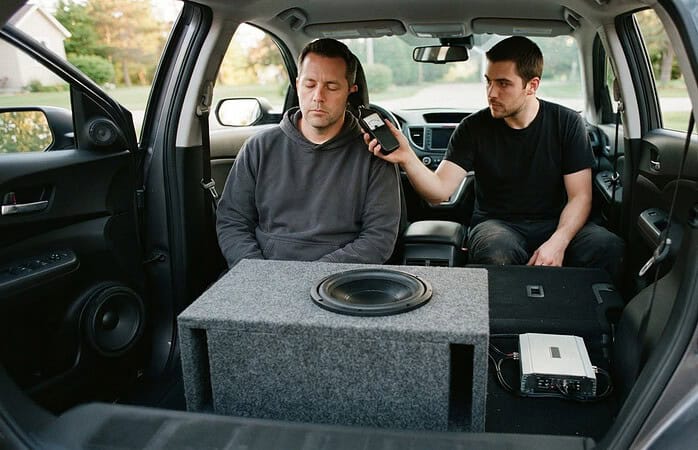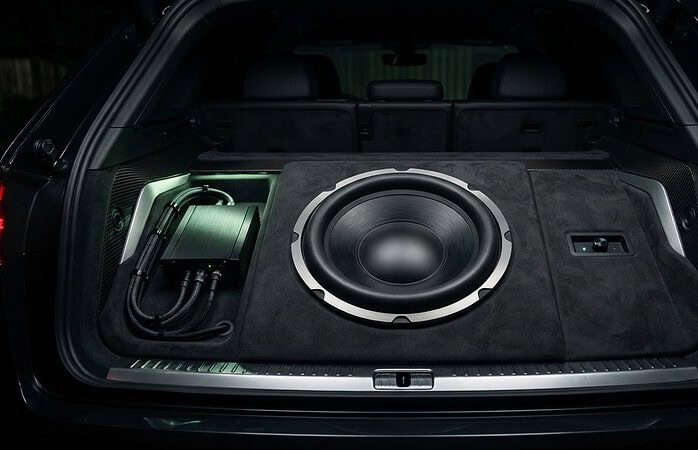
The best side-by-side audio system ideas start with two decisions: how you want to play music and where the system can fit in your vehicle. Bluetooth connects wirelessly to a compatible phone, while USB and auxiliary inputs provide wired options. The right setup also depends on your model’s layout and how you want the sound to carry on the trail.
It makes sense to want clear audio without a complicated setup. The connection type determines how you play music, but speaker placement and the vehicle’s mounting points matter just as much. A system that suits one side-by-side may not fit another.
This guide explains Bluetooth, USB, and auxiliary connections, then compares audio options for different side-by-side layouts. You’ll learn what to consider when choosing speakers, mounting locations, and system components, so you can narrow down a setup that suits both your vehicle and the way you ride.
Key Takeaways
- Match speaker placement and mounting style to your side-by-side’s layout for a setup that fits the vehicle.
- Understand how the receiver, speakers, power connections, and input options work together before choosing components.
- Compare a sound bar’s streamlined format with a component system’s flexibility to decide which approach suits your riding needs.
- Learn how careful planning for mounting, wiring, and connections helps create a clean, practical installation.
Audio products for different side-by-side models
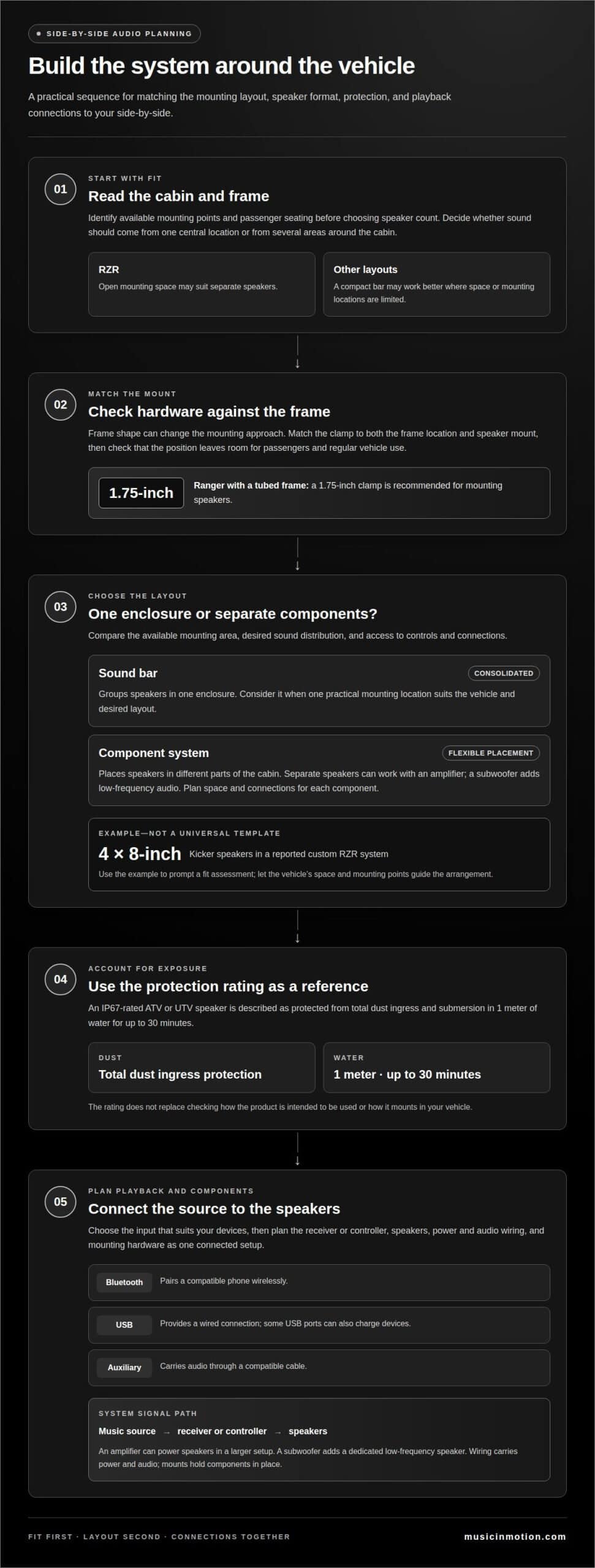
Start with the side-by-side’s frame and cabin layout, not the speaker count. A RZR with open mounting space may suit separate speakers, while another model may work better with a compact bar. Identify available mounting points and passenger seating before choosing components. This initial fit check helps determine whether sound should come from one central location or from several areas around the cabin.
A RZR owner reported using four 8-inch Kicker speakers in a custom system. That example shows one way to spread sound across the vehicle, but it isn’t a universal template. Speaker quantity and placement depend on available space and the listening experience desired. ATV and UTV speakers are also available in sets of four, giving buyers another format to consider for multi-speaker layouts.
Frame shape can change the mounting approach. For a Ranger with a tubed frame, a 1.75-inch clamp is recommended for mounting speakers. Match the clamp to the frame location and speaker mount, then consider whether the chosen position leaves room for passengers and regular vehicle use. A compatible mount helps keep the installation aligned with the Ranger’s structure.
Exposure is another product-selection factor. An IP67-rated ATV or UTV speaker is described as protected from total dust ingress and submersion in 1 meter of water for up to 30 minutes. That rating gives a specific reference for dust and water protection. It doesn’t replace checking how a product is intended to be used or how it mounts in a particular vehicle.
Compare options by model, mounting style, and system layout. A four-speaker set may suit a build with multiple mounting locations; a clamp-mounted speaker may fit a Ranger’s tubed frame. Consider Bluetooth, USB, or auxiliary playback alongside these physical choices. The most useful side-by-side audio system ideas start with the available space, then match a connection method and speaker arrangement to how you use the cabin.
The reported RZR build gives one concrete point of comparison: 4 8-inch Kicker speakers. Use it to prompt a fit assessment, while letting the chosen vehicle’s own space and mounting points guide the final arrangement.
What does a side-by-side audio system include?
A side-by-side audio setup combines a music source, playback controls, speakers, and electrical connections. The source might be a phone paired through Bluetooth, a device connected by USB, or a player linked with an auxiliary cable. The receiver or controller manages the input and sends audio to the speakers. Plan the system as a complete setup, rather than choosing speakers alone.
Connection options shape everyday use. Bluetooth pairs a compatible phone wirelessly, so you don’t need a cable for playback. USB provides a wired connection, and some USB ports can also charge devices. An auxiliary input carries audio through a compatible cable. Check how the system handles each source, then choose the connection that suits the devices and controls you plan to use.
Speakers turn the audio signal into sound, while an amplifier can power speakers as part of a larger setup. A subwoofer adds a dedicated low-frequency speaker. The receiver, amplifier, speakers, and subwoofer need to work together as a connected system. Placement also affects control access and how sound reaches occupants across the cabin.
- Source: A phone, USB-connected device, or auxiliary player supplies music.
- Receiver or controller: Bluetooth, USB, and auxiliary inputs provide different playback paths.
- Speakers: Mounted speakers reproduce audio inside the vehicle.
- Optional amplifier or subwoofer: These components expand the system beyond a basic speaker arrangement.
- Wiring and mounts: Connections carry power and audio; mounting hardware holds components in place.
Before selecting equipment, list the devices you’ll use and the inputs they need. Then decide whether a speaker-based setup meets your listening goals or whether a receiver, amplifier, and subwoofer make sense together. For a coordinated layout, explore custom audio system planning.
How do sound bars compare with a full component audio system for a side-by-side?
A sound bar groups speakers in one enclosure, while a component system separates speakers and supporting equipment. If your side-by-side has one practical mounting location, a bar offers a consolidated layout. A component setup lets you position speakers in different parts of the cabin. Choose based on available space, desired sound distribution, and how much flexibility you want.
Consider a vehicle used by a driver and passenger. A sound bar mounted near the front keeps its speakers together and controls accessible in one area. Separate speakers can be placed around the cabin, changing where sound reaches occupants. Check the seating arrangement and mounting locations first. A placement that works for the front seats may not serve rear passengers as well.
A component system lets each part serve a distinct role. Separate speakers can work with an amplifier, while a subwoofer adds low-frequency audio. This approach gives you more options for shaping the system, but requires planning space and connections for each component. A sound bar keeps the speakers together, with fewer separate locations to plan.
- Choose a sound bar when a consolidated speaker unit suits the available mounting area and desired layout.
- Choose components when separate speaker placement or adding an amplifier and subwoofer better fits the listening goals.
- Compare access by considering where controls and connections sit relative to the driver and passengers.
- Plan the footprint by accounting for each component’s mounting position, not just the space occupied by speakers.
Neither format is right for every side-by-side. A compact cabin with one useful mounting area may suit a sound bar, while a wider cabin or a more tailored listening plan may suit separate components. Before choosing products, sketch the mounting positions and consider how occupants use the vehicle. This comparison can help narrow down the system type before you select individual equipment.
How do you install and wire a side-by-side audio system?
A clean installation starts with a plan for the receiver, speakers, and wiring. The installer maps each component to the side-by-side’s frame and cabin. This layout identifies practical cable routes and keeps connections near the equipment. It also reveals whether a speaker position could obstruct access or interfere with normal vehicle use.
Next, the installer secures the audio components in their planned locations. A sound bar needs a suitable mounting position, while separate speakers need individual mounts. On a tubed-frame Ranger, the mounting hardware must fit the frame and speaker bracket. Secure mounting helps components stay in place as the vehicle moves.
Wiring connects the power source, receiver, amplifier, and speakers as required by the selected system. The installer routes cables away from moving parts and sharp edges, then secures them along the planned path. Power and speaker connections must match the equipment’s terminals. Bluetooth, USB, and auxiliary playback also require a receiver or controller that supports the chosen input.
- Plan the layout: Map component positions and cable paths around the cabin.
- Mount the equipment: Secure each speaker, receiver, and other component in place.
- Connect the system: Route and connect power, audio, and speaker wiring to their matching points.
- Test playback: Try each selected source and listen from the driver and passenger positions.
Testing can catch issues before the installation is complete. The installer checks that each speaker plays, controls respond, and selected inputs connect correctly. For example, a system using Bluetooth and USB should be tested with both sources. Loose mounts, exposed cables, or missing audio channels can then be addressed before regular use.
Custom layouts can require careful fitting and cable routing, especially when a system includes separate speakers and an amplifier. Arrange a powersports audio installation for a tailored setup.
Music In Motion
Music In Motion turns side-by-side audio plans into complete, vehicle-specific installations. Its custom installation work brings component choices, mounting positions, and wiring together around your vehicle’s layout and preferred connections. This is useful when weighing a sound bar against separate speakers or planning Bluetooth, USB, and auxiliary playback in one system. The goal is a setup that fits the vehicle and works as a whole, not just a collection of parts. Contact Music In Motion to discuss your side-by-side audio system.
Make Your Next Ride Sound Like Yours
Let the way you use your side-by-side guide your choices. Your system should make it easy to enjoy music on the trail, with controls and components suited to your vehicle. The strongest side-by-side audio system ideas reflect your priorities, not a generic parts list. Decide what matters most, whether that’s simple playback, fuller sound, or a setup designed around your cabin.
Music In Motion brings custom installation expertise, car audio upgrades, and marine audio systems to vehicle audio projects. That range supports a practical discussion about how your side-by-side’s layout and listening goals can shape a tailored system. The next step is to turn your preferences into a clear installation plan.
Contact Music In Motion to discuss your side-by-side audio plans. Your next ride can have a sound that feels like your own.
Frequently Asked Questions
What are good audio system ideas for a UTV side-by-side?
Good UTV audio ideas start with how you ride and who needs to hear the music. For solo trail rides, prioritize simple controls within the driver’s reach. For rides with passengers, plan sound and controls around the whole cabin. Your side-by-side audio setup can also suit your listening style, from straightforward playback to a more customized system. Let those priorities guide your equipment choices.