What happens when the moment that matters unfolds behind you, not in front? A front-facing camera can document the road ahead, but it can’t show every detail of a rear-end collision or what happened behind your vehicle. That’s where the front and rear dash cam system benefits become clear: two viewpoints can provide useful context that a single camera misses.
A second camera does add another view to position, power, and review, and parked recording depends on the system and its setup. Camera placement, visibility, recording settings, and storage all affect what footage captures and how easy it is to find later.
This guide explains what each camera can show, when rear coverage may be useful, and what it won’t necessarily capture. You’ll also learn what to consider for parking mode, privacy, storage, and installation. With the cameras positioned and integrated around your vehicle, a two-camera setup can be straightforward to use in everyday driving.
Key Takeaways
- The front and rear dash cam system benefits depend on how well the two viewpoints match your driving and recording priorities.
- Check whether a system records both views together and how easily you can find and review footage after an incident.
- Compare front-only and dual-camera coverage by considering your typical routes, parking needs, and preferred setup.
- Plan camera placement, field of view, and storage before choosing a system to make footage more useful.
- Professional integration can help create a clean, vehicle-ready setup and make everyday operation easier to understand.
Front and rear dash cam system benefits: why two views matter
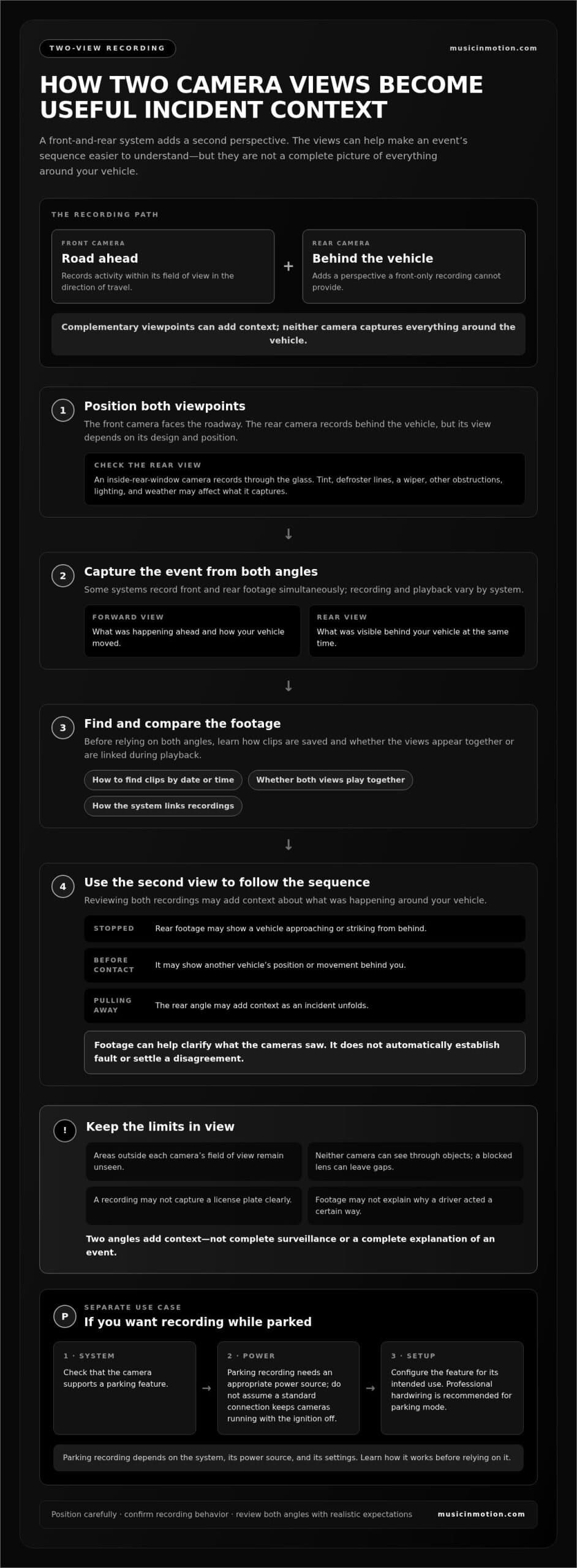
A front-and-rear dash cam system uses coordinated cameras to record views from the front and rear of a vehicle. The forward camera documents the road ahead; the rear camera adds a perspective a front-only recording can’t provide. Together, the views can make the sequence around an incident easier to understand. For a general overview of dash-camera types and uses, see Dashcam.
What does a front-and-rear dash cam system record?
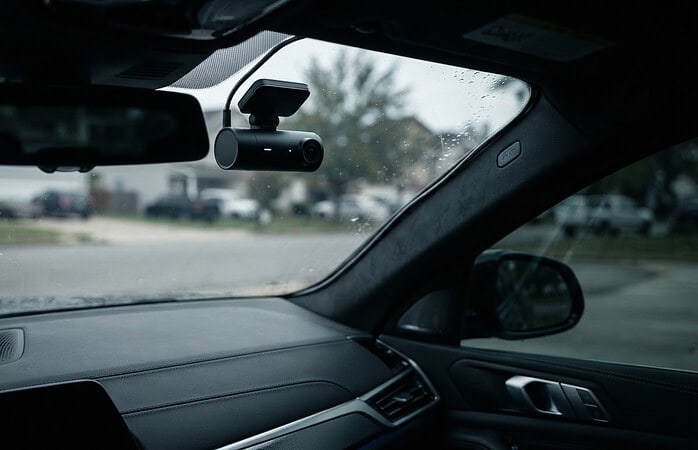
The front camera typically captures the roadway in the direction of travel, including activity within its field of view. A rear camera records behind the vehicle, but what appears depends on its design and position. For example, a camera mounted inside the rear window records through the glass. Rear-window tint, defroster lines, a wiper, or other obstructions may affect the view, as can lighting and weather. Review where each camera points before settling on its position.
Think of the cameras as complementary viewpoints, not a complete picture of everything around the vehicle. Neither camera can see through objects, and areas outside their fields of view remain unseen. Even a carefully positioned pair can’t eliminate every blind spot or capture every detail of a moving event.
Why consider two camera views instead of one?
A front-only recording may show a vehicle slowing ahead, but not what was happening behind your car at the same moment. Rear footage may add context if your vehicle is struck from behind while stopped, if another vehicle approaches closely before contact, or if an incident unfolds as you’re pulling away. It can help clarify the sequence instead of leaving the forward view to tell only part of the story.
Quotable takeaway: A front-and-rear dash cam records two complementary directions, adding context without providing complete surveillance around the vehicle.
That distinction matters when reviewing footage. The front view might show your car’s movement and the road ahead, while the rear view may show another vehicle’s position or motion. If both cameras record at the same time, comparing their views can help build a clearer timeline. Recording and playback vary by system, so learn whether the cameras capture simultaneously and how the files are linked before relying on both angles.
Footage is limited to what each lens sees and records. A camera may not capture a license plate clearly, show activity outside its frame, or reveal why a driver acted a certain way. Treat the recording as a visual account from specific angles, not a complete explanation of an incident. That’s central to the front and rear dash cam system benefits: the added rear perspective can fill in useful context, while realistic expectations keep the system’s capabilities clear.
How front and rear dash cams work together on the road
A dual-camera system can record two views during the same drive, but how those views are captured and stored depends on the system’s design and settings. Some systems record front and rear footage simultaneously; others link the cameras through a shared unit or recording process. Before relying on both angles, learn how the system saves clips, whether both views appear together during playback, and how to find a recording by date or time.
What rear-facing footage can add after an incident
Rear footage may show traffic approaching from behind, a vehicle following closely, or movement around your car after you’ve stopped. Reviewing it alongside forward footage can help you follow the sequence: what was happening ahead, how your vehicle moved, and what was visible behind it. The recordings offer additional context, not a verdict. Footage may help clarify what the cameras saw, but it doesn’t automatically establish fault or settle a disagreement.
A rear camera expands the recorded view, but it can’t guarantee a complete record of every event around your vehicle. A blocked lens, limited field of view, changing light, or activity outside the frame can leave gaps. Keep that limitation in mind when reviewing a clip, and avoid treating either camera angle as the whole story.
Do front-and-rear dash cams record while parked?
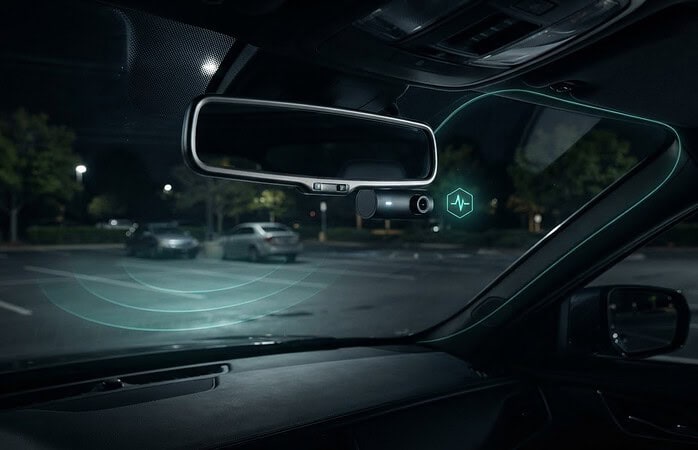
Driving footage and parking footage are different use cases. A camera won’t necessarily keep recording after the vehicle is turned off. Parked-vehicle recording depends on whether the camera supports a parking feature, has an appropriate power source, and is configured for that use. The feature may also affect when recording starts and which clips are saved, so learn the system’s operating instructions and settings before relying on it.
Power matters. A setup intended to record while parked needs to be integrated for that purpose; don’t assume a standard power connection will keep the cameras running when the ignition is off. Professional hardwiring is recommended for parking mode. If parked coverage is a priority, include it in the installation plan and understand how the feature works before depending on it.
For broader context on how camera coverage fits alongside other vehicle upgrades, explore this vehicle safety systems guide. The front and rear dash cam system benefits are most useful when recording behavior matches your routine, whether you mainly want footage on the road or also want a supported parking mode. Music In Motion professionally installs dash cameras, integrating a setup around your vehicle and priorities. Details about the service are available through dash camera installation.
Front-only vs. front-and-rear dash cams: which coverage fits?
The right setup depends on what you want recorded, not on how many cameras a vehicle can carry. A front-only camera focuses on the road ahead and may suit drivers whose main priority is a forward view. Adding a rear camera extends recorded coverage behind the vehicle, which can be useful if you want more context during regular driving or while parked, provided the system supports parking recording. Neither option captures everything around the vehicle.
| Setup | Viewpoints | Typical fit | Setup considerations |
|---|---|---|---|
| Front-only | Road ahead | Drivers prioritizing forward-road footage | Consider front placement and the view through the windshield. |
| Front-and-rear | Road ahead and behind | Drivers seeking additional rear context | Plan both camera positions, recording behavior, and any parking-mode needs. |
When a front-only dash cam may be enough
If your main concern is documenting what happens in front of your vehicle, one forward-facing camera may meet that priority. Its coverage is simple to understand: it records its forward view, not the area behind or beside you. Consider your usual routes, how often you drive, and where you park. A focused setup can be a sensible choice when rear footage isn’t important to you.
When rear-camera coverage may be worthwhile
Rear coverage may matter more if you regularly drive in traffic, make frequent stops, or park in places where activity behind your vehicle concerns you. A rear view gives you another angle to review, but its usefulness depends on camera placement, field of view, and recording settings. If parked recording matters, choose a system and setup that support that use rather than assuming a rear camera records while the vehicle is off.
Use your routine to guide the decision. Ask yourself what you most want to see in a recording, where you’d want additional context while driving or parked, and whether you’re comfortable managing footage from one view or two. More coverage also means planning another camera position and understanding how its footage is saved and reviewed.
The front and rear dash cam system benefits come from adding a useful viewpoint, not creating certainty. Extra footage can offer more context, but it can’t guarantee that an event is fully recorded, clarify every detail, or prevent an incident. A front-only camera isn’t automatically inadequate, and a dual-camera system isn’t essential for every driver. Choose the configuration that matches your priorities and the recording features you’ll actually use.
What to consider before choosing a dual dash cam system
Start with the footage you want to capture. A system is most useful when its camera positions, recording behavior, and storage suit your driving and parking routines. Use this checklist to compare options and plan a setup that’s practical to operate.
- Set your recording and parking priorities. Decide whether you mainly want footage while driving or whether recording around a parked vehicle matters too. Parking mode requires compatible equipment, an appropriate power setup, and configuration. Don’t assume a camera records whenever the vehicle is off.
- Plan front and rear camera placement. Consider where each camera can sit while keeping a useful view. The windshield, rear glass, vehicle design, and possible obstructions all affect what each lens can capture. Position cameras so they don’t create unnecessary visual distraction for the driver.
- Compare fields of view. A wider view may include more of the surrounding scene, but details near the edges can look different from those in the center. Consider whether each camera’s view covers the area you care about, and remember that no placement eliminates every blind spot.
- Consider image clarity in different conditions. Footage may look different in bright daylight, shade, or low light. Look for clear, usable recordings from both angles, not just a specification that sounds impressive. Glare, darkness, weather, and lens obstruction can affect which details are visible.
- Choose a storage approach you can maintain. Check how footage is saved, how older clips are handled, and what type of memory card the system requires. Dash cameras repeatedly write recordings, so use a high-endurance card intended for that workload. Consider how often you’ll review or manage saved clips.
- Make footage easy to find and review. Understand how the system organizes front and rear recordings, how clips can be accessed, and whether both views are straightforward to compare. A setup that’s simple to use makes it easier to locate relevant footage when you need it.
Which system details affect useful footage?
Image clarity is only part of the decision. Camera position determines whether the lens sees the road, rear traffic, or an obstruction, while field of view shapes how much of the scene appears. Consider daytime and low-light performance alongside storage and file access. The front and rear dash cam system benefits are easier to realize when both views are positioned and saved in ways you can actually use.
How should drivers think about privacy and parking mode?
Recording can capture other people and vehicles, including when your car is parked. Learn the device’s recording controls and storage settings, and understand how to manage or delete footage. Local rules vary, so check the requirements that apply to your circumstances. For parking mode, confirm that the system supports it and that its power and configuration are set up for that purpose.
Music In Motion professionally installs dash cameras and can plan a clean, vehicle-ready integration around your priorities. More information is available at dash camera installation.
Professional front-and-rear dash cam installation for a clean, usable setup
A dual-camera system works best as part of the vehicle, not as an afterthought. Professional integration brings the front and rear cameras together in a setup planned around your coverage priorities, vehicle interior, and everyday use. That can help keep the installation tidy and make the controls and footage easier to understand.
What does professional dual-camera integration involve?
The process starts with a conversation about what you want recorded, including whether your main focus is driving or whether supported parking recording matters too. Camera positions are then planned around the vehicle and the views you want. Placement should account for the interior while preserving practical access to the vehicle’s controls.
Integration is about more than positioning two cameras. The system should be set up so you understand how to access recordings and review both views. During a final walkthrough, you can learn the basic operation and see how the front and rear footage is organized. A clean, vehicle-ready result should feel straightforward to use, not like another chore behind the wheel.
A practical installation process can follow four clear steps:
- Discuss priorities: Identify the driving situations and recording needs that matter to you.
- Plan camera positions: Map out front and rear views that suit the vehicle and intended coverage.
- Integrate the system: Fit the cameras into the vehicle as a coordinated setup, with attention to the interior and usable controls.
- Review operation: Go over how the system records and how to find and view saved footage.
The front and rear dash cam system benefits depend on more than adding another lens. A thoughtful installation connects coverage choices with everyday usability. Music In Motion professionally installs dash cameras and brings custom integration expertise to help make the setup practical for your vehicle. The aim is a finished system that fits your priorities and the way you drive.
Make the system part of a complete vehicle safety setup
Dash cameras can be one component of a broader approach to vehicle safety, alongside features designed for other driving needs. For commercial drivers considering camera coverage as part of a work vehicle setup, our guide to professional dash cam installation for truckers offers related context. The right configuration still depends on the vehicle, the driver’s priorities, and the system’s capabilities.
More information about dash camera solutions from Music In Motion is available at dash camera solutions.
Choose coverage that fits your next drive
The right setup is the one you’ll understand and use with confidence. Before deciding, picture an ordinary week behind the wheel: where you drive, where you park, and what you’d want to review if something unexpected happened. Those priorities can guide a practical choice without adding complexity you don’t need. The front and rear dash cam system benefits matter most when the coverage suits your routine and your expectations stay realistic.
Music In Motion professionally installs dash cameras and brings custom electronics expertise to vehicle integration. Explore dash camera solutions and professional installation to plan a clean, integrated setup around how you use your vehicle.
Frequently Asked Questions
What are the benefits of a front and rear dash cam system?
The main benefit is having recordings from both directions, which can give you a broader account of a drive than a forward-facing camera alone. The front and rear dash cam system benefits may be especially useful if you want to review what was happening behind your vehicle as well as ahead. Neither view captures everything, and footage quality depends on what each camera can see.
Is a front and rear dash cam better than a front-only camera?
It depends on your priorities. A front-facing camera may suit you if you mainly want a record of the road ahead, while a dual setup adds a rear viewpoint for more context. Think about your typical trips, who regularly drives the vehicle, and where it’s parked. More cameras mean more coverage angles, but not necessarily a better fit for every driver.
Can a rear dash cam record while the car is parked?
It can if the system supports parking recording and is configured and powered for that use. Before relying on it, learn how the feature activates, how recordings are stored, and whether the camera records continuously or responds to certain events. If the vehicle is often parked for extended periods, include that use in your setup planning.
Do front and rear dash cams record at the same time?
Some systems record both views simultaneously, while others handle linked cameras differently. It depends on the system and its settings. Check whether a saved clip includes both angles and how the timestamps are presented. Knowing how to locate matching front and rear recordings can save time and help you compare what each camera captured during the same period.
Will dash cam footage prove who caused an accident?
Footage may provide useful evidence, but it doesn’t automatically prove who caused a crash. A camera records images from its position and may not show every vehicle, signal, or action involved. Preserve the original recording and avoid editing it, since changes can affect how others assess its context. Treat a clip as one source of information, not a guaranteed decision about responsibility or an outcome in a claim.
Do front and rear dash cams need professional installation?
Professional installation isn’t required for every system, but it can help with camera placement, clean integration, and straightforward controls. This can be particularly helpful when routing a rear camera connection through the vehicle or setting up supported parking features. Music In Motion professionally installs dash cameras and integrates vehicle electronics to make the system part of a finished, vehicle-ready setup.
Can a dual dash cam system record inside the vehicle too?
Not necessarily. A system described as dual-channel usually refers to its supported camera views, but the exact arrangement varies. Some setups are designed for front and rear coverage, while others may support an interior view instead or offer additional channels. If recording inside is important, such as for a rideshare vehicle, choose a system designed for that view and consider privacy and recording controls.