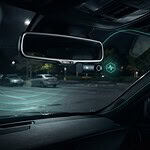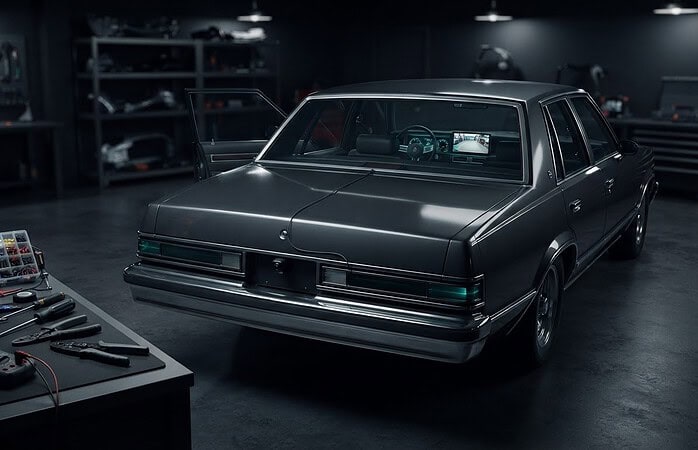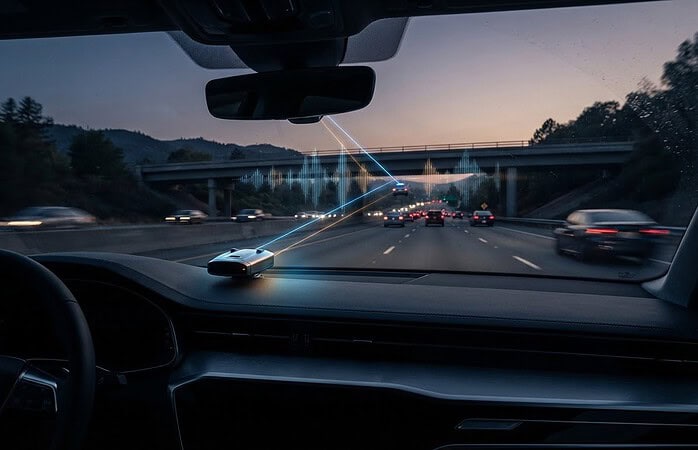
What good is a dash cam if it stops recording when you park, or if the footage you need gets overwritten after a crash? The hardwired dash cam installation benefits matter most when dependable power is part of a clear plan for capturing and protecting useful footage. A hardwired setup can support parking mode, while a power outlet may suit drivers who only need recording on the road.
It’s reasonable to wonder whether hardwiring is worth it, or whether it could drain the battery or interfere with vehicle electronics. The answer depends on your camera, vehicle, and driving habits. A professionally integrated installation accounts for these vehicle-specific considerations and makes the camera part of a practical safety setup, not just another device on the windshield.
This guide explains what hardwiring changes, when parking-mode recording can be useful, and how to preserve and organize footage after an accident so important files aren’t accidentally lost or mishandled. Music In Motion installs dash camera systems as part of its professional custom electronics work. The goal is simple: useful footage when you need it, and a clear next step when something happens.
Key Takeaways
- Hardwiring changes how a dash cam receives power; it isn’t a guarantee of uninterrupted recording.
- The hardwired dash cam installation benefits depend on camera compatibility, vehicle power, and whether you need recording while parked.
- Compare hardwired and plug-in setups by cable visibility, parking-mode potential, and installation complexity to find the right fit for your driving habits.
- After an accident, put safety first, then protect the original footage and keep it organized for later use.
- A professionally integrated setup can account for vehicle-specific considerations and make your dash cam part of a practical safety system.
What hardwired dash cam installation changes for everyday driving
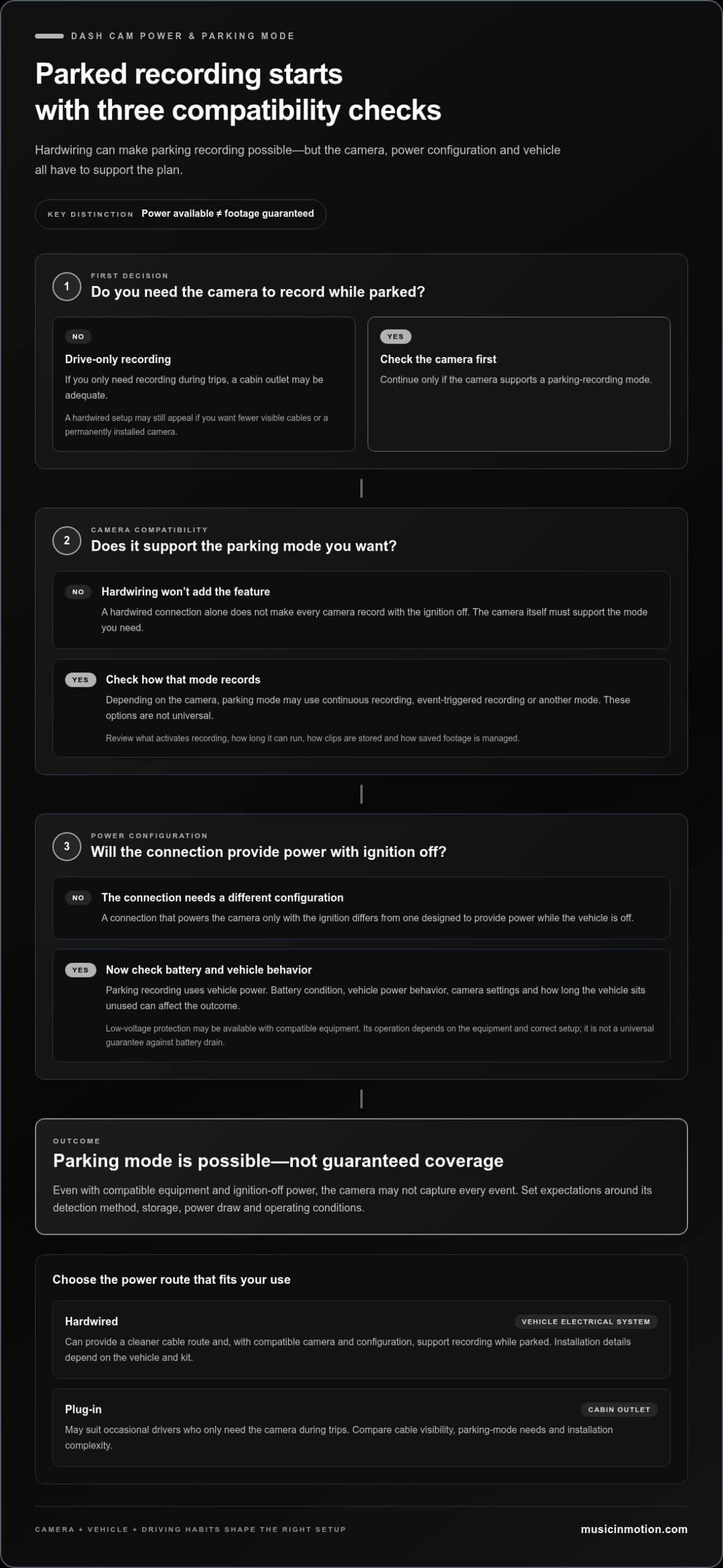
Hardwiring connects a dash cam to the vehicle’s electrical system instead of powering it through a cabin outlet. Hardwired dash cam installation supplies power through a vehicle electrical connection rather than a plug-in power socket. This changes the camera’s power source and cable route. It doesn’t, by itself, guarantee continuous recording or protect footage from being overwritten.
The practical result depends on how the camera records, how the power connection is configured, the vehicle’s electrical system, and operating conditions. A connection that powers the camera only with the ignition differs from one designed to provide power while the vehicle is off. The camera must also support the recording mode you want. A general overview of how dash cameras operate is available in Dashcam.
What does hardwiring a dash cam mean?
A hardwire kit provides the wiring interface between the camera’s power lead and a suitable connection in the vehicle. The specific components and configuration depend on the kit and vehicle. Unlike a plug-in setup, which draws power through a cabin outlet, hardwiring routes power through the vehicle’s electrical system. The camera cable can typically be tucked away for a cleaner appearance.
Power is only one part of the system. It doesn’t determine image quality, recording settings, storage capacity, or software features. Those depend on the camera itself. Nor does hardwiring guarantee that power will be available in every situation. The selected connection and vehicle behavior matter.
Which drivers may value a hardwired setup?
Drivers who want fewer visible cables across the cabin may appreciate the cleaner routing a hardwired installation can provide. It can also suit drivers interested in recording while parked, but that requires a compatible camera and a power configuration designed for that use. A hardwired connection alone doesn’t make every camera record with the ignition off.
Driving habits help shape the decision. Someone who commutes frequently may value a permanently installed camera and a tidy setup, while an occasional driver who records only during trips may find a cabin outlet adequate. Neither option is automatically right for every vehicle or routine.
Before choosing, consider what you need the camera to do: record during drives, support a parking mode, or simply sit neatly in the cabin. Then consider the vehicle’s power behavior and the camera’s requirements together. A vehicle-specific installation accounts for routing and connection considerations instead of treating every dashboard and electrical system alike.
These are the core hardwired dash cam installation benefits: a different power connection, the potential for a cleaner cable route, and, with compatible equipment and configuration, support for recording beyond ignition-on driving. The value comes from matching the setup to the camera, vehicle, and everyday use, not from assuming hardwiring alone makes footage uninterrupted or permanent.
How hardwiring can support parking recording and dependable power
Hardwiring can give a compatible dash camera access to vehicle power when the ignition is off, making parking recording possible with the right equipment and configuration. That can be useful if you want a camera to monitor the vehicle while it’s parked. But a hardwired connection alone doesn’t switch on parking recording, guarantee uninterrupted operation, or capture every incident.
Power availability and footage capture are separate: the connection can supply power, but the camera’s design and settings determine whether it detects an event and saves a recording. A camera might have power while parked without recording in the way you expect. Review its recording modes, how footage is stored, and what conditions may limit operation before relying on it.
Parking mode depends on more than the power connection
Parking mode is a camera capability, not an automatic result of hardwiring. Depending on the camera, it may support continuous recording, event-triggered recording, or another mode. These options aren’t universal. Read the camera’s instructions and settings to understand what activates recording, how long it can run, and how saved clips are managed.
Consider the location and timing you want covered. A camera configured to record only when the vehicle is moving won’t meet a need for parked-vehicle monitoring. Even with a supported parking mode, the camera may not capture every event. Set realistic expectations based on its detection method, storage, and power draw.
Battery protection and vehicle compatibility
Parking recording uses vehicle power, so the battery and electrical system matter. A compatible power-management feature, such as low-voltage protection when supported by the equipment, may be configured to stop the camera drawing power once a set condition is reached. Its operation depends on the equipment and correct setup; it isn’t a universal guarantee against battery drain.
Battery condition, vehicle power behavior, camera settings, and how long the vehicle sits unused can all affect the outcome. A suitable installation accounts for the vehicle’s electrical system and the camera’s power requirements rather than treating every vehicle alike. Don’t assume a setup that works in one vehicle will behave identically in another.
Before relying on parking footage, work through a few practical checks:
- Confirm the camera supports the parking-recording mode you intend to use.
- Understand what triggers a recording and how clips are saved.
- Review the power-management equipment and how it’s configured for the vehicle.
- Consider how long the vehicle is typically parked and the condition of its battery.
These are some of the hardwired dash cam installation benefits: with compatible equipment and thoughtful integration, hardwiring can support parking recording while keeping power and vehicle compatibility in view. Music In Motion professionally integrates dash camera systems, taking vehicle-specific considerations into account as part of a practical safety arrangement.
Hardwired versus plug-in dash cam installation: compare the trade-offs
Neither power option is automatically right for every driver. A plug-in connection is straightforward and easy to disconnect, while hardwiring can support a more integrated look and, with compatible equipment, parking recording. Compare what each setup changes before deciding. The camera’s capabilities and your routine matter as much as the power connection.
| Consideration | Hardwired setup | Plug-in setup |
|---|---|---|
| Power source | Connects through the vehicle’s electrical system. | Uses a cabin power outlet. |
| Visible cabling | Wiring can be routed for a tidier, more integrated appearance. | The cable may remain visible between the outlet and camera. |
| Parking-mode potential | May provide power with the ignition off if the camera and configuration support it. | Depends on outlet behavior and camera requirements; it may not support the desired parking mode. |
| Installation complexity | Requires vehicle-specific wiring and careful integration. | Usually simpler to connect and disconnect, with less installation work. |
These are practical differences, not a ranking of recording quality. Hardwiring doesn’t improve a camera’s image or guarantee more complete evidence. Both setups still depend on camera settings, storage, and how footage is managed.
When a hardwired setup may make sense
Choose hardwiring if a clean cabin matters or if you want parking recording and your camera supports it. That goal also calls for a compatible power configuration and suitable battery protection. The hardwired dash cam installation benefits are about integration and power options, not a promise that every parked event will be captured. Professional installation can account for the vehicle’s specific wiring and layout.
When a plug-in setup may be enough
A plug-in camera can suit drivers who mainly want recording during trips and prefer a simple connection they can remove or relocate. It may fit occasional driving or a routine that doesn’t require parked-vehicle monitoring. Before settling on it, compare your routine with the camera’s documented power requirements, including whether the outlet can support the recording modes you plan to use.
A useful decision rule: Start with when you drive and whether you want recording while parked. Then check the camera’s power and parking-mode requirements, consider the vehicle’s power behavior, and decide how much visible cabling or installation work you’re comfortable with. If drive-time recording is enough, a plug-in setup may fit. If you want a cleaner integrated installation or compatible parking recording, hardwiring may be worth considering.
What to do with dash cam footage after an accident
An accident can leave you with several urgent concerns. Deal with safety and immediate needs first. Footage comes later, and you should handle the camera only when it’s safe and won’t distract from getting help or following instructions at the scene. These steps can help protect a recording without changing the original or rushing to share it.
- Check for immediate danger and get help. Move to a safer place if you can do so safely, and address injuries or urgent hazards before handling the camera. Follow emergency personnel’s directions. Don’t reach into the vehicle, stop recording, or remove storage if doing so could put you or someone else at risk.
- Protect the recording when it’s safe. Follow the camera’s instructions to stop recording or lock the relevant clip, if that option is available. If the camera uses removable storage, remove it only when safe and practical. Avoid continued recording if it could overwrite the footage, but don’t let footage preservation interfere with immediate priorities.
- Keep the original unchanged. Preserve the original file and storage. Make a separate backup copy if you can, and work from that copy rather than editing, trimming, renaming, or enhancing the original. Keep the recording in its original format where possible.
- Write down the context. Note the date, approximate time, location, vehicle, and camera involved. Record when you copied or moved the file, where the original is kept, and any relevant details about the recording. Clear notes can help you identify the right clip later.
- Share through the appropriate process. Follow the instructions provided by your insurer or law enforcement for submitting footage. Keep a copy and note when, how, and with whom you shared it.
Preserve the original recording promptly
Dash cameras handle saved clips differently, so use the camera’s own instructions rather than assuming a particular button or storage process. If you can’t preserve the clip safely at the scene, prioritize safety and return to it when the situation allows. Keep the original separate from working copies, and avoid actions that could overwrite or alter the source file.
Share footage carefully with insurers or authorities
Share only through the process requested by the relevant insurer or authority, and retain your own copy and a simple record of the transfer. Avoid posting footage publicly before considering privacy, claim-related concerns, and applicable state laws. Rules for reporting, disclosure, and whether footage can be used as evidence can vary, so this guidance isn’t jurisdiction-specific legal advice.
Good footage habits are part of making a dash camera useful, alongside a setup suited to your vehicle and driving needs. Music In Motion installs dash camera systems as part of its vehicle electronics work. Learn more about professional dash camera installation.
Make a hardwired dash cam part of a professionally integrated safety setup
A dependable setup starts with a clear purpose, not just a wiring choice. Consider what the camera requires, how your vehicle supplies power, whether you want recording while parked, and how you’ll protect important footage if an incident occurs. These factors work together. A camera with parking-recording capability still needs a suitable power configuration, and saved footage still needs a practical preservation plan.
Professional installation helps account for vehicle-specific electrical and interior-layout considerations. Music In Motion installs dash cameras as part of its custom electronics work, integrating them into a considered driver-safety setup. The goal is a finished result that fits the vehicle and how you use it, rather than a one-size-fits-all arrangement.
What professional integration should address
A thoughtful installation considers an appropriate power connection and neat cable routing that keeps the cabin organized. Configuration should reflect the selected camera’s documented capabilities, including the recording modes you intend to use. The vehicle’s electrical system and the camera’s power requirements also shape the approach. Results can vary by vehicle and equipment, so the goal is a functional, well-integrated setup, not a promise of identical performance in every car.
Choose the setup around how you drive and park
If you want a clean, integrated appearance or compatible recording while parked, hardwiring may fit your priorities. If you mainly record while driving and value a simple, removable connection, plugging into a cabin outlet may be enough. In either case, match the setup to the camera’s instructions and your routine. Decide in advance how you’ll protect an important clip, keep the original file unchanged, and make a separate backup when it’s safe to do so.
For a wider view of how a dash camera can complement other driver-safety upgrades, explore our vehicle safety systems guide. It can help you consider the camera as one part of a practical vehicle setup.
The hardwired dash cam installation benefits are clearest when the power connection, camera capabilities, parking needs, and footage habits work together. Music In Motion brings those details into a vehicle-specific installation, with attention to clean integration and everyday use.
To discuss a setup tailored to your vehicle, explore dash camera installation with Music In Motion.
Choose a setup that fits your next drive
Picture the situations you want your dash camera to serve. Is your priority a tidy cabin, recording during regular trips, or coverage while the vehicle is parked? Use that need to guide your camera and power choices, then decide how you’ll protect a useful clip if an incident occurs. The hardwired dash cam installation benefits are most meaningful when the setup supports the way you actually drive, park, and manage footage.
A professional installation can bring those choices together in a considered vehicle setup. Music In Motion integrates dash cameras and other driver-safety technology across a range of vehicle types, tailoring the installation to the vehicle and intended use.
Ready to take the next step? Explore dash camera installation with Music In Motion to plan a setup that fits your vehicle and driving needs.
Frequently Asked Questions
Is a hardwired dash cam installation worth it if I mainly drive?
It can be, especially if you use the same vehicle regularly and want a permanent, tidy camera setup. The hardwired dash cam installation benefits may matter less if you only need recording during occasional trips and prefer a connection you can unplug. Think about how often you drive, whether visible cables bother you, and whether you plan to use camera features that need power when the ignition is off.
Can a hardwired dash cam drain a car battery?
Yes, battery drain is possible if a camera continues drawing power while the vehicle is off, particularly if the vehicle sits unused for an extended period. The effect depends on the camera’s power use, the installation configuration, and the battery’s condition. If supported by compatible equipment, low-voltage protection can limit power draw by shutting the camera off at a configured point, but it isn’t a substitute for a suitable setup.
Does a hardwired dash cam always record while parked?
No. The camera must support a parking-recording feature, and its settings and power configuration must allow that feature to operate with the ignition off. Check the camera’s instructions for what starts a recording and how it behaves while parked. For example, some cameras may need a particular mode selected before parking; a hardwired power connection alone won’t activate a feature the camera doesn’t have.
What should I do if dash cam footage was overwritten after an accident?
Stop using the camera and storage card as soon as it’s safe, since new recordings may replace other data. Don’t format the card or save new files to it. Check whether the camera has a separate event folder or whether you already made a backup. Recovery isn’t assured, so record what happened and when, then tell your insurer or the relevant authority that the footage is unavailable.
Can I share dash cam footage with my insurance company?
Yes, you can generally provide relevant footage to your insurer, following its process for submitting files. Preserve the original recording and avoid editing it; if the camera captures a longer sequence, keep the surrounding footage as well as the clip of the incident. Retain a copy and note when you sent it. Before sharing publicly, consider the privacy of passengers and others visible or audible in the recording.
Is it legal to record with a dash cam in every state?
Dash cams are legal to own and use in all 50 U.S. states, but that doesn’t mean every recording setup is unrestricted. State rules may affect where a camera can be mounted on the windshield, and audio recording requirements vary. Check current rules for the state where you’re driving, especially if your camera records sound, and position it so it doesn’t obstruct your view.