What good is a 4K dash cam if it misses the moment you need recorded? Choosing the right setup in 2026 means looking beyond resolution to the evidence you want, the way you drive, and how the camera will fit your vehicle. If you’re researching how to choose the right dash cam 2026, it’s understandable to feel caught between spec sheets and concerns about missing, unclear, or overwritten footage.
The right choice doesn’t have to be complicated. We’ll help you compare the features that matter for your driving needs, from front-only or multi-camera coverage to night image quality, storage, and parking mode. You’ll also see how power options affect recording while your vehicle is parked, and what to consider before installation.
Whether you want a straightforward daily-driving setup or broader coverage for a work vehicle, this guide offers a practical way to weigh performance against budget priorities. We’ll also explain how vehicle-specific professional installation can support a clean, functional result, with wiring and camera placement suited to your vehicle.
Key Takeaways
- Start with what you need the camera to document, from everyday road incidents to cabin activity or commercial driving.
- For how to choose the right dash cam 2026, compare real-world image quality and low-light performance, not resolution labels alone.
- Choose front-only, front-and-rear, or cabin-facing coverage based on what you need to see and how much wiring and footage management you want.
- Check storage behavior, power options, camera placement, and recording controls so important clips are less likely to be missed or overwritten.
- A user-installed camera can suit a simple setup, while professional integration can help create secure placement, reliable power, and tidy wiring.
Choosing the Right Dash Cam in 2026: What to Record
A dash cam records road or cabin video from inside a vehicle. The right setup depends less on having every available feature and more on what you want captured, where and when you need recording, and how the camera will be powered and store footage. That’s the practical starting point for how to choose the right dash cam 2026.
For most personal drivers, the goal is straightforward: document the road during a commute, a long drive, or an unexpected incident. Fleet systems may serve different needs, such as monitoring vehicles across a business or supporting commercial driver coaching. Those requirements can involve broader oversight than a personal camera setup. Keep your use case clear so you don’t pay attention to features that don’t help with the recording you actually want. The Dashcam Wikipedia article offers a broader overview of camera types and history.
Takeaway: Choose coverage around what you need recorded, then consider the recording conditions, power, and storage required to support it.
What do you want your dash cam to capture?
A front-only camera is a practical fit if your priority is a view through the windshield while driving. Rear coverage can help capture activity behind the vehicle, while a cabin-facing view may suit drivers who have a specific reason to record inside the vehicle. Each additional view changes what the setup can document, but it also adds camera placement and footage to manage.
Start with your everyday routine rather than a rare edge case. A commuter may mainly want a forward-facing record of regular trips. Someone who often carries passengers may have a reason to consider cabin coverage, while a driver who wants context from behind may prefer a rear view. For fleet or commercial use, consider whether the goal is simply incident documentation or a wider monitoring and coaching program. These are different needs and call for different planning.
Which camera setup fits your driving routine?
A single front camera keeps the setup focused on the road ahead. A front-and-rear arrangement adds a view of activity behind the vehicle, while multi-camera configurations can include the cabin as well. More views may mean additional wiring, placement decisions, and files to review. Match the setup to your vehicle, usual parking conditions, and who uses it, rather than assuming more cameras are always better.
- Commuting: Consider whether a forward road view addresses your main concern.
- Road trips: Think about whether rear or cabin views would add useful context for your journeys.
- Parked-vehicle recording: Decide whether you need the camera to record while parked, then factor in power and storage.
- Multiple drivers or views: Choose coverage that suits the people using the vehicle and the footage you’ll need to review.
Vehicle type matters, too. A setup that works neatly in one vehicle may need different placement and wiring in another. If you’re considering dash cameras alongside other upgrades, this vehicle safety systems guide can help put camera coverage in context with broader vehicle safety choices.
Dash Cam Features Explained: Resolution, Night Footage, and Useful Functions
Dash-cam specifications can look impressive, but the useful question is what they mean for footage you may need to review later. Resolution matters, yet it works alongside the lens, image sensor, lighting, camera angle, and condition of the windshield. A feature is worth prioritizing when it supports the way you drive and the evidence you hope to capture.
Does higher resolution always mean better dash-cam footage?
Resolution describes how much image detail a camera records. More pixels can help preserve detail, but they can’t guarantee that a distant license plate will be readable. Distance, vehicle movement, lighting, camera angle, and the lens all affect what appears in the clip. A high-resolution label alone doesn’t tell you how well a camera handles difficult conditions.
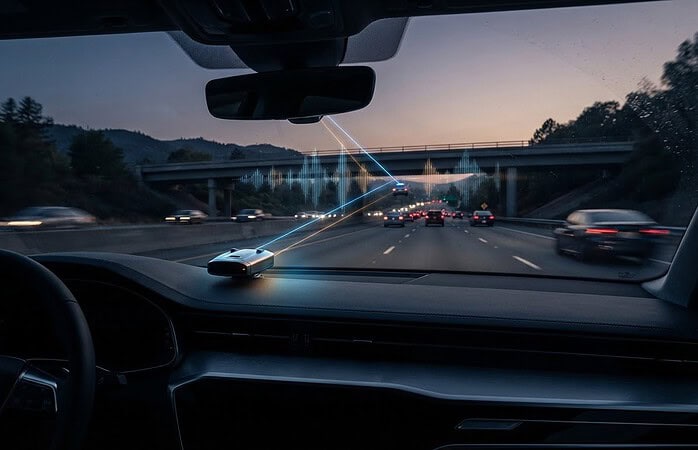
Night footage depends on more than resolution, too. Sensor quality and exposure affect how a camera handles darkness, bright headlights, and changing light. A dirty, wet, or glare-prone windshield can further reduce clarity. Resolution can add image detail, but useful footage depends on the camera, the conditions, and how it’s positioned.
Which extra features are useful for your driving?
Optional functions can make footage easier to locate or review, but their behavior varies by camera and settings. Check the current manufacturer documentation for how each feature works, what it records, and any setup requirements. That’s a practical step in how to choose the right dash cam 2026 without relying on a headline specification alone.
- GPS tagging: Some cameras attach location or speed information to recordings. Consider whether that context is useful to you, and review how the information is stored or displayed.
- Event detection: A camera may mark or protect a clip after detecting an impact or another event. The trigger and protection behavior can differ, so don’t assume every incident will be handled the same way.
- Loop recording: Many dash cams record over older footage when storage fills, while event-protected clips may be handled differently. Learn what gets overwritten and how protected files use storage.
- Wi-Fi and app access: These can make it more convenient to view or transfer clips. They’re helpful extras, not essential if you’re comfortable accessing recordings another way.
- Screen and voice control: A screen can help with setup or playback, while voice commands may offer hands-free control. Consider whether you’ll use them, rather than treating them as automatic must-haves.
Before choosing, compare manufacturer information for recording resolution, low-light performance, storage behavior, and any advertised smart functions. Look for details about how features operate, not just whether they appear on a spec sheet. If you’re considering a camera and a professionally integrated setup, Music In Motion’s dash-camera options and installation can help connect those feature choices with your vehicle.
Front-Only vs. Dual-Channel Dash Cams: Compare Coverage and Trade-Offs
More cameras mean more angles, not automatically better footage for every driver. The right configuration is the one that covers the situations you care about while remaining practical to install and manage. A camera aimed forward may suit a driver focused on the road ahead; another view makes sense only if it captures something important that the front camera would miss.
| Configuration | Coverage purpose | Typical placement | Wiring and footage considerations |
|---|---|---|---|
| Front-only | Records the road ahead. | At the front of the cabin, positioned to view through the windshield. | Usually the simplest arrangement, with one camera and one set of recordings to review. |
| Front-and-rear | Adds a view of activity behind the vehicle. | A front camera plus a rear camera, commonly positioned toward the back window. | Requires a connection between camera locations and creates additional footage to store and review. |
| Cabin-facing or multi-camera | Records the interior, or combines interior coverage with other views. | A camera aimed into the cabin, alongside a front or rear camera if included. | More cameras mean more placement decisions, wiring paths, and recordings to organize. |
When is a front-only dash cam enough?
A single front camera can suit drivers whose main priority is documenting what happens ahead during everyday trips. It keeps the setup focused and avoids adding views they may rarely use. The trade-off is clear: it won’t provide a separate rear or cabin perspective. Whether that gap matters depends on your driving routine, vehicle use, and the events you want recorded.
When should you consider rear or cabin coverage?
Consider rear coverage if you want a view behind the vehicle, or cabin coverage if recording inside addresses a specific need. A multi-camera setup adds more than hardware: each camera needs suitable placement, wiring, and storage capacity for its recordings. Think through how often you’ll review each view, too. Extra footage can be useful, but it also takes time to sort through.
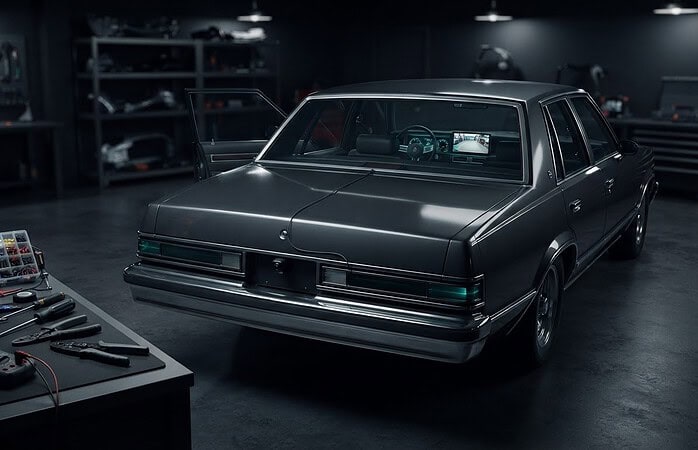
Vehicle layout can affect the finished setup. The route between front and rear cameras, available mounting locations, and who regularly drives the vehicle all matter. A clean, vehicle-appropriate installation helps keep cameras securely placed and wiring tidy. For a personal vehicle, begin with your own recording priorities. Fleet-connected systems are a different category: they may support business monitoring or driver coaching, rather than simply recording trips for an individual driver.
Commercial drivers comparing coverage for work vehicles can explore this dash cam for truckers installation guide, which addresses a commercial use case. For personal use, keep the decision grounded in what you need to see and how much additional footage you’re prepared to manage. That’s a practical way to approach how to choose the right dash cam 2026: select coverage for a reason, not just because a configuration includes more cameras.
How to Choose a Dash Cam: Check Storage, Power, Placement, and Privacy
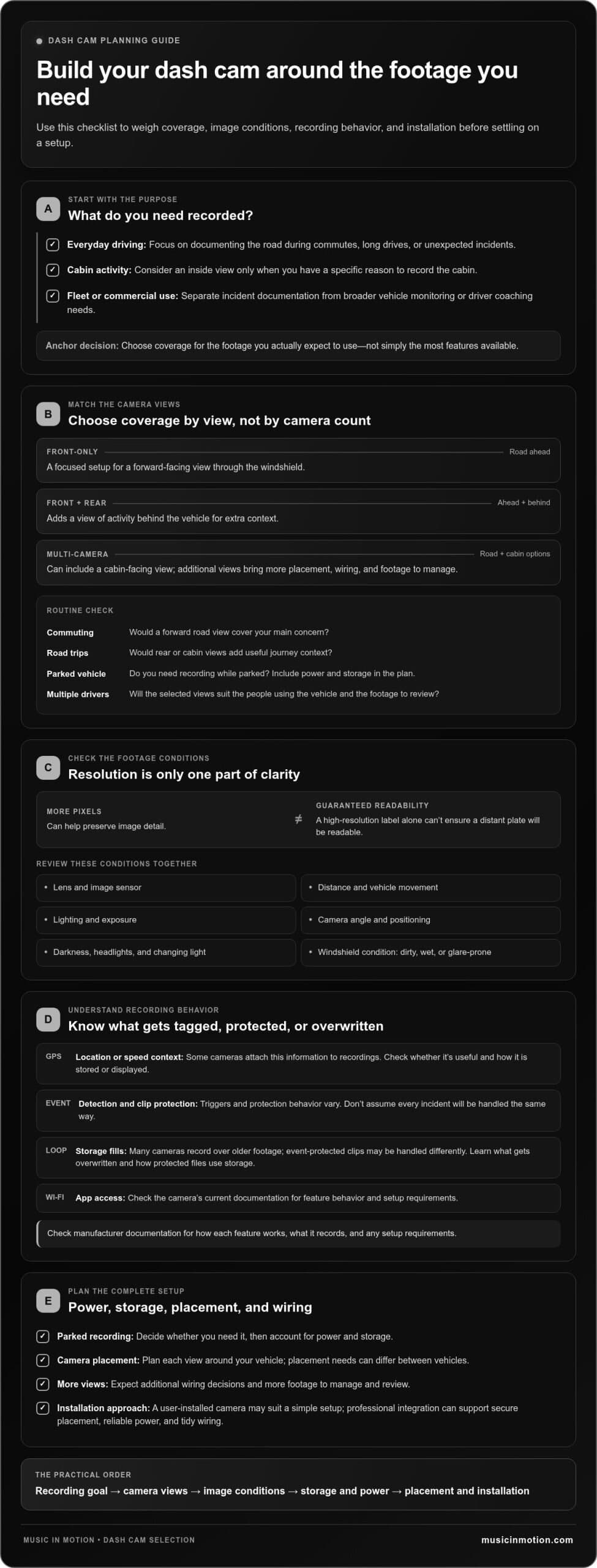
A reliable setup depends on more than choosing a camera. Storage, power, placement, and recording controls all affect whether footage is available and useful when you need it. Use this checklist to turn the question of how to choose the right dash cam 2026 into practical decisions for your vehicle.
- Confirm coverage. Decide whether you need a forward-facing view or additional rear or cabin footage. More cameras create more video to store and manage.
- Check storage. Loop recording commonly replaces older footage as storage fills, while event-marked or protected clips may be treated differently. Camera behavior depends on its design and settings, so learn how clips are saved and how to keep footage you want to retain.
- Plan power. A plug-in connection can be a simpler option for driving-time recording. Parking mode needs power while the vehicle is off; using that feature requires hardwiring to the vehicle’s fuse box, and a plug-in setup may limit functionality.
- Choose placement. Aim for a stable view without obstructing your sightline. Account for windshield shape, camera angle, cable routing, and access to buttons or other controls.
- Review recording controls and privacy. Decide whether you want audio recording or other recording features enabled. Check current official state sources for applicable privacy and audio-recording rules, especially if passengers may be recorded.
How much storage and power does a dash cam need?
There isn’t one storage amount that suits every setup. How long footage remains available depends on factors such as resolution, number of cameras, recording settings, and card capacity. Multi-camera or higher-detail recording can use storage differently from a basic front-facing setup. Before buying a memory card, check the camera manufacturer’s documentation for supported card types and capacities.
Driving footage and parked-vehicle recording have different power needs. If you want parking mode, confirm what power connection the camera requires and how its settings manage recording while the vehicle is off. Don’t assume a standard plug-in connection supports every parking feature.
Where should a dash cam be mounted?
Choose a position that provides a clear, stable view and stays out of the driver’s sightline. Windshield shape and camera angle affect what enters the frame; cable routing and access to the camera’s controls also shape the finished setup. A vehicle-specific professional installation can help keep the camera secure and wiring tidy.
Privacy deserves the same attention as placement. Recording rules can vary by state and by whether audio is captured, so consult current official sources for the places where you drive. Review the camera’s recording controls and understand how to adjust them for your needs.
If you’d like help matching camera placement and power to your vehicle, explore professional dash-camera installation with Music In Motion.
Dash Cam Installation: When Professional Integration Makes Sense
Choosing a camera is only part of the job. The finished setup should keep the camera secure, provide the power its recording features need, and route cables neatly without getting in the way of driving or vehicle controls. A simple setup may be enough for a driver who wants a forward-facing camera for everyday trips. Additional views or parking-mode recording can make placement and power planning more involved.
There’s no single right installation choice. Use this quick comparison to weigh convenience against a more integrated finish:
- Basic user setup, pros: A plug-in connection can be straightforward, and a simple front-camera arrangement may involve fewer placement decisions.
- Basic user setup, cons: Visible cables may affect the cabin’s appearance, and plug-in power may limit features that require a different power connection.
- Professional integration, pros: A vehicle-specific installation can account for camera position, intended coverage, interior layout, and tidy cable routing.
- Professional integration, cons: It involves arranging a professional installation rather than setting up the camera yourself.
What can professional dash-cam installation help address?
Professional installation can help position cameras for a useful view and route power cables neatly through the vehicle. That matters especially when a setup includes rear or cabin coverage, or when the camera’s intended functions call for a more integrated power connection. At Music In Motion, we provide dash-camera installation tailored to the vehicle and setup. For a separate discussion of installation expenses, see our dash cam installation cost guide.
Vehicle-specific integration also means considering the driver’s sightline, interior controls, camera angles, and how the wiring can be routed cleanly. The aim is a finished setup that feels functional in daily use, not simply a camera attached to glass with a cable hanging into view. For more complex coverage, planning these details together can help keep the installation cohesive.
How to move from choosing a camera to a finished setup
Before installation, be clear about what you want to record, which camera views you need, and which features matter to your routine. Then consider storage, power, and where the cameras can sit in your vehicle. This practical sequence brings together the decisions behind how to choose the right dash cam 2026 and helps avoid choosing features without a plan for using them.
Music In Motion sells dash cameras and provides professional installation as part of its vehicle safety and electronics work. We can help bring the camera choice and vehicle integration together, from a straightforward setup to a configuration with additional views. The right approach depends on your vehicle and recording priorities.
If you’re ready to explore your options, take a low-pressure next step and explore dash-camera and vehicle electronics solutions.
Make Your Next Drive Feel Better Prepared
Your next step doesn’t need to be choosing the camera with the longest feature list. Start with one clear question: what would you want the recording to show if an unexpected moment happened? Let that answer guide your final choice, then think about how the camera will fit into your vehicle and your everyday routine.
That’s the practical value of learning how to choose the right dash cam 2026. A considered setup can help you feel more confident behind the wheel, without adding features or complexity you don’t need. And if you’d like support turning your priorities into a clean, vehicle-appropriate installation, Music In Motion can help bring the pieces together.
Explore dash-camera and vehicle electronics solutions, and take the next step toward a setup that feels right for your drive.
Frequently Asked Questions
Is a 4K dash cam worth it in 2026?
A 4K dash cam may be worthwhile if you value additional image detail and the camera performs well in the conditions you drive in. Before deciding, compare sample footage from both bright daylight and dim conditions, and check how much storage the selected recording settings use. A higher resolution can create larger files, so consider whether your card capacity and footage-retention expectations match the camera’s recording demands.
Can a dash cam record while my car is parked?
Yes, some dash cams can record while parked, but parking mode and its power needs vary by camera. Check the manufacturer’s instructions to learn whether the feature requires hardwiring or another compatible power setup. Extended recording may draw power from the vehicle battery, so review how the camera manages power and what precautions the manufacturer recommends before relying on it to monitor a parked vehicle.
How much storage does a dash cam need?
The right capacity depends on how you plan to record and how long you want footage available. For example, a driver recording from several cameras at higher resolution may use storage faster than someone recording a single view at lower settings. Compare the camera’s supported memory-card types and capacities with your retention needs. The manufacturer’s documentation is the best guide to compatible cards and recording settings.
What happens if a dash cam’s memory card fills up?
If loop recording is enabled, the camera may overwrite older footage to make room for new clips. Protected or event-marked files may be handled differently, depending on the camera and its settings. If you need to keep a recording, transfer it to another device or storage location as soon as practical, then follow the manufacturer’s instructions before formatting or replacing the card.
Do I need a front and rear dash cam?
Not necessarily. A front camera may meet your needs if you mainly want a record of what happens ahead. A rear view may be useful if you want footage behind the vehicle, such as context around an incident that occurs at the back. Consider whether you’ll review that second angle often enough to justify the additional equipment and files. Your answer depends on your driving priorities, not camera count alone.
Can I install a dash cam myself?
Yes, many drivers can set up a basic camera by following the manufacturer’s instructions and checking that the view stays clear while driving. More involved setups, especially hardwiring or adding cameras in several parts of the vehicle, can require careful integration. Music In Motion provides professional dash-camera installation, which can help create a secure fit and tidy finish. That support can be useful if you’d rather leave vehicle wiring to an installer.
Are dash cams legal in every US state?
Dash cams are legal to own and use in all 50 states, but rules can differ around camera placement, windshield obstruction, audio recording, and recording passengers. Avoid assuming that one mounting position or audio setting works everywhere. Check current official state guidance for the places where you drive, keep the camera clear of your sightline, and consider how to notify passengers if audio or cabin recording is enabled.