The most involved WRX audio upgrade may be the one that keeps the factory radio. A Subaru WRX audio upgrade without losing Starlink is possible, but the DCM below the radio can affect the installation and the space available for a replacement head unit. For a 2022-2026 WRX without Harman Kardon audio, the setup described uses a VAZ-A02K module with the ENA-3S1 amplifier kit.
It makes sense to want better sound without giving up factory controls, camera functions, or Starlink features. The right approach depends on what you want to retain and whether you’re adding an amplifier or subwoofer, replacing the radio, or upgrading speakers. This guide compares those options and explains how the DCM, model year, and factory audio configuration affect the work, so you can understand the choices involved in a WRX installation.
Key Takeaways
- Keeping the factory radio can simplify retaining the screen, steering-wheel controls, and camera, while still allowing a planned audio upgrade.
- The DCM’s location below the radio can limit replacement options, so account for it before choosing an aftermarket head unit.
- For a 2022-2026 WRX without Harman Kardon audio, the bypass setup described uses a VAZ-A02K module with the ENA-3S1 amplifier kit.
- Factory speaker wiring and DCM monitoring affect how an amplifier or replacement speakers should be connected; the front and rear channels don’t follow the same path.
- Compare keeping the factory radio with replacing it by weighing the sound changes you want against the factory features you want to retain.
Keeping the factory head unit, screen, steering-wheel controls, and camera
A Subaru WRX audio upgrade without losing Starlink starts with preserving the factory connections that support the features you use. Keeping the original head unit is the most direct way to retain its interface, steering-wheel controls, and camera functions while upgrading speakers or adding an amplifier. Replacing the radio requires a compatible integration plan for those features and the DCM.
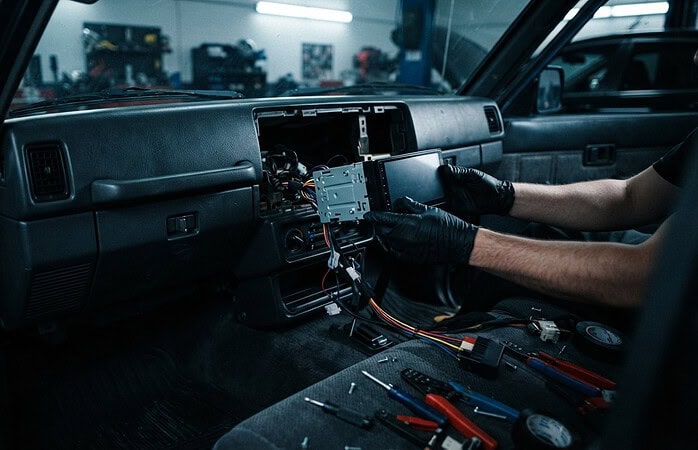
The factory radio also affects where new equipment can fit. In the vehicles covered by the installation information, the DCM sits directly below the radio, occupying space a replacement head unit may need. Keeping the original radio avoids that particular dash-space conflict. Before planning the installation, identify the WRX’s model year, audio package, and factory-navigation configuration, then match the amplifier and wiring interface to that setup.
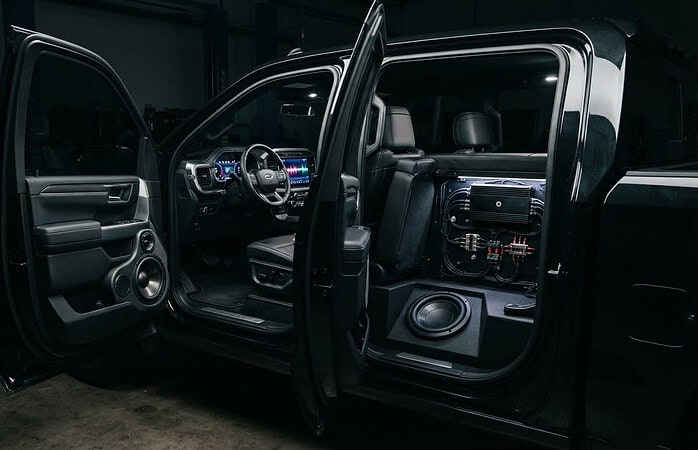
One plug-in option described for use behind the factory radio is the ENA-3S1. It includes a dedicated subwoofer output, and its remote turn-on lead can switch on a powered subwoofer with the ignition. The installation is a panels-off project that can be completed in an afternoon with basic hand tools. Factory-navigation versions are excluded from the non-navigation fitment examples, because their head-unit configuration can change the connection path.
Factory speakers also set practical limits. In the stock non-Harman Kardon wiring described, each front door speaker is rated at 20 W and 4 Ω; each dash speaker is 13 W and 6 Ω. The dash and door speakers pair in parallel, producing 2.4 Ω per channel across the four audio channels. Match amplifier compatibility to that load, rather than treating each speaker as an independent 4 Ω connection.
Sound-deadening material can address panel vibration and road noise, while speaker replacement or amplification changes the audio system itself. These are separate steps: damping material does not change the factory speakers’ ratings. One possible sequence is to retain the factory screen and camera, add an amplifier behind the radio, then consider door treatment if panel resonance remains noticeable.
| Option | Factory radio and controls | Installation consideration | Best suited to |
|---|---|---|---|
| Keep radio with ENA-3S1 | Retains original interface | Panels-off access; dedicated subwoofer output | Adding a powered subwoofer |
| Replace speakers | Can retain factory screen and controls | Match front-channel impedance and wiring | Improving speaker clarity |
| Replace head unit | Requires feature-integration planning | DCM occupies space below radio | Changing the radio interface |
Choose the factory-radio route if keeping the original interface is your priority. Consider a replacement head unit only after accounting for integration requirements and the DCM’s position.
Look for U.S. specialty car-audio installers or retailers experienced with Subaru-specific integration; the section names no particular businesses.
Choosing a model-year-specific bypass connector
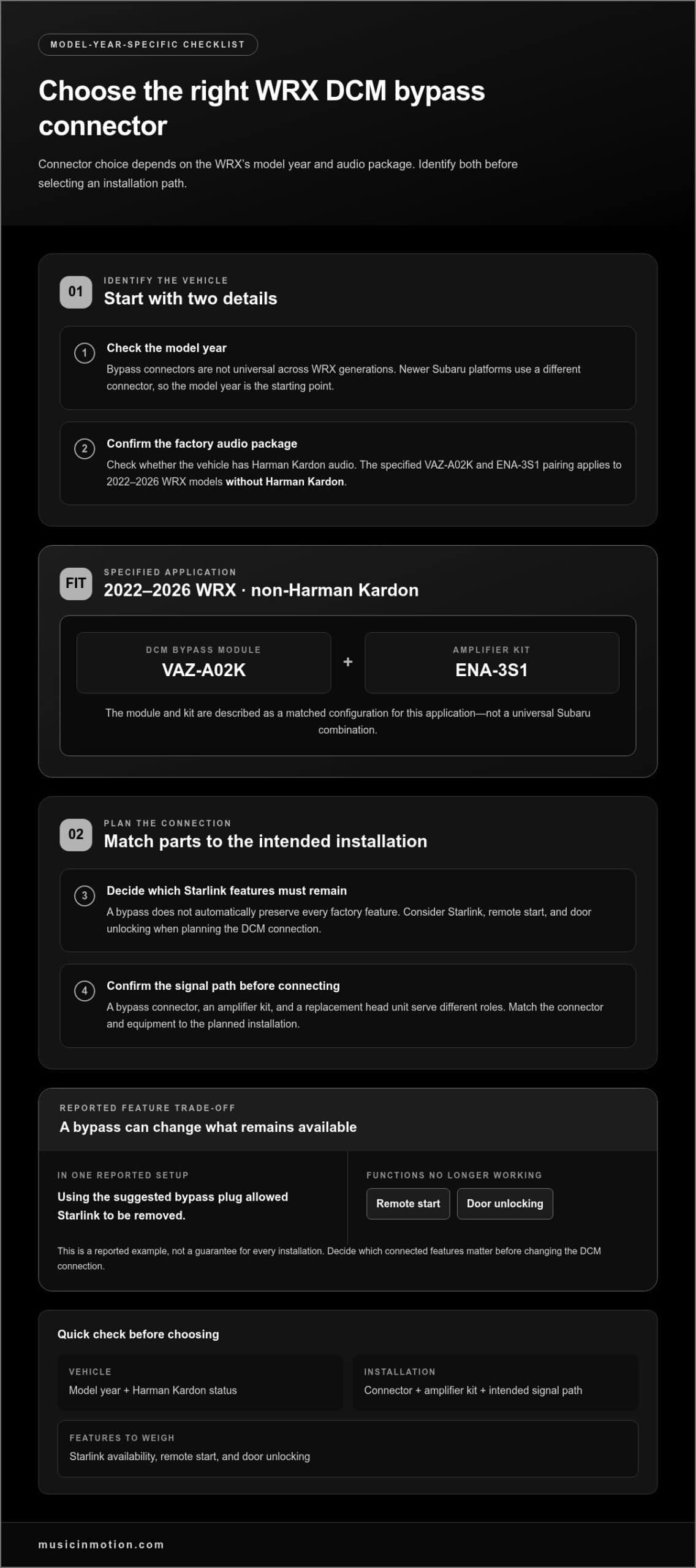
A Subaru DCM bypass connector isn’t universal across WRX generations. The required connector depends on model year, and newer Subaru platforms use a different connector. Start by identifying the WRX’s model year and whether it has Harman Kardon audio. Those details help determine which integration path fits before you order parts or begin changing factory connections.
For a 2022-2026 Subaru WRX without Harman Kardon audio, the specified setup uses a VAZ-A02K module with the ENA-3S1 amplifier kit. The module and kit work as a matched configuration for this application. Don’t substitute a connector based only on a similar-looking plug or a description written for another Subaru generation. A different connector can change how the DCM and audio equipment connect.
Use this sequence to narrow down the setup:
- Identify the model year. A WRX from the newer platform may need a different bypass connector than an earlier Subaru. The model year is the starting point, not an optional detail.
- Identify the audio package. The VAZ-A02K and ENA-3S1 combination applies to 2022-2026 WRX models without Harman Kardon audio. That distinction matters before selecting an amplifier kit.
- Decide what Starlink features must remain. A bypass may affect more than audio integration. In one reported setup, using the suggested bypass plug allowed Starlink to be removed, but remote start and door unlocking no longer worked.
- Match the connector to the intended installation. A bypass connector, amplifier kit, and factory radio replacement serve different roles. Confirm the planned signal path before connecting the equipment.
That remote-start example shows why “bypass” doesn’t automatically mean “keep every factory feature.” A connector can change the DCM connection, while remote start and door unlocking depend on Starlink remaining available. Decide whether those functions matter as much as gaining space or changing the radio, then plan the installation accordingly.
For a 2022-2026 WRX without Harman Kardon audio, treat VAZ-A02K and ENA-3S1 as a specific pairing, not a universal Subaru recipe. A model-year-specific audio installation plan helps organize the connector, amplifier, and retained features around the vehicle’s actual configuration.
Retaining the DCM with an aftermarket head unit
Replacing the factory stereo means planning for both the head unit and Subaru’s DCM. For a Subaru WRX audio upgrade without losing Starlink, the audio connections and telematics module need compatible signal paths.
Aftermarket Head Unit Compatibility
Choose a head unit that works with a WRX-specific integration interface for steering-wheel controls and the backup-camera signal. Compatibility depends on the vehicle interface and wiring, not the stereo’s brand name alone. Keep the DCM connected if you want to retain Starlink. Without the right integration path, a new unit may play audio but fail to preserve factory functions.
Adapters and Wiring Harnesses
A 16-pin Starlink wiring adapter is used for front-speaker connections when retaining Starlink with an aftermarket head unit. With a processor, rear speakers can connect directly through RCA cables rather than passing through the Starlink box. These connections serve different channels, so map front and rear signals before wiring the new stereo. Keeping Starlink connected also matters to troubleshooting.
Retained DCM Versus Lost Features
Retaining the DCM keeps the module in the system, but bypassing or removing Starlink can affect factory functions. In one reported setup, a bypass plug allowed Starlink removal, but remote start and door unlocking stopped working. Microphone, telematics, and safety functions depend on which factory connections remain in place. Plan around the features you use, not audio output alone.
The DCM also monitors speaker impedance. The described Subaru system can trigger a warning if it detects impedance greater than 10,000 Ω for at least 100 ms. Line output converters and amplifiers typically present input impedance of 20,000 Ω or more, which may not satisfy that monitoring. A high-impedance input can therefore create a DCM issue even when the aftermarket stereo produces sound.
In one reported wiring test, the necessary cables were connected directly to the aftermarket head unit without the Maestro, while Starlink remained connected. The change stopped the audio-pausing issue in that owner’s test. It illustrates why interface choices matter, but it is not a universal wiring recipe for every WRX configuration.
Before installation, map each connection: head-unit outputs, front-speaker adapter, rear-channel path, camera signal, steering-wheel interface, and DCM connection. After wiring, test every function you want to retain, including camera display, steering-wheel commands, audio playback, and Starlink-related features. This sequence helps pinpoint whether an issue comes from the head unit, adapter, or a disconnected factory module.
The key decision is whether the new stereo’s features justify the added integration work. Keeping the DCM connected and matching adapters to the signal paths creates a clearer route to retaining Starlink and factory controls.
Which Subaru WRX model years have Starlink integrated with the factory head unit?
For the documented fitment, the specific range is the 2022-2026 Subaru WRX without Harman Kardon audio. That configuration uses a VAZ-A02K module with the ENA-3S1 amplifier kit. This identifies an audio-integration setup, not a blanket rule that every WRX model year uses the same head unit, DCM connection, or Starlink arrangement.
Starlink and the factory head unit are connected through the vehicle’s wiring, but the DCM is a separate module. In the vehicles covered by the installation information, it sits directly below the factory radio, which can affect replacement-head-unit fitment. Keeping the factory radio and replacing it are different choices, even when both approaches aim to retain Starlink features.
For a WRX from another model year, begin with the year and platform before selecting a connector. Subaru uses a different DCM bypass connector on the newer platform, so a plug selected for an earlier vehicle may not match. Next, identify whether the car has Harman Kardon audio. The 2022-2026 non-Harman Kardon pairing shouldn’t be treated as a universal WRX recipe.
Use these steps to identify the relevant integration path:
- Record the model year. Use the vehicle’s exact year, not an assumed range based on a similar Subaru.
- Identify the audio package. Separate Harman Kardon-equipped WRXs from the non-Harman Kardon configuration.
- Choose the intended radio plan. Keeping the factory head unit and installing an aftermarket head unit involve different connection and space requirements.
- Match the DCM connector to the platform. The connector varies by model year, particularly on the newer platform.
- List the Starlink functions to retain. Include functions such as remote start and door unlocking in the plan, not just audio playback.
This process gives a practical answer: the specific audio setup identified here covers 2022-2026 WRX models without Harman Kardon audio, using VAZ-A02K with ENA-3S1. For other WRX years, choose the DCM connector and integration method by the car’s model year and platform rather than assuming the same parts fit.
Before installation, compare the factory radio’s connections with the replacement plan. Note the DCM’s position below the radio, the connector type, the audio package, and the functions you want to retain. These details help distinguish a head-unit replacement from an amplifier installation that keeps the factory radio. They also prevent a connector choice from being mistaken for proof that every Starlink feature will remain active.
How can you upgrade Subaru WRX speakers while retaining Starlink features?
Keep the factory head unit and plan speaker wiring around the Starlink module. In the Subaru system described, rear audio channels come directly from the head unit and aren’t monitored by the DCM. Front speaker connections follow a different path, so a speaker upgrade needs a separate plan for front and rear channels. That distinction can help preserve Starlink while improving the sound.
For the stock non-Harman Kardon setup, the front door speakers are rated at 20 W and 4 Ω. Dash speakers are rated at 13 W and 6 Ω. Each dash speaker is wired in parallel with its matching door speaker, creating a 2.4 Ω load per front channel. The system has 4 audio channels. Choose replacement speakers and amplification with that combined front-channel load in mind.
A practical wiring plan separates the front path from the rear path:
- Front speakers: Keep the Starlink connection in the signal path. A 16-pin Starlink wiring adapter is used for front-speaker connections when retaining Starlink with an aftermarket head unit.
- Rear speakers: The rear channels come directly from the head unit. When using a processor, plan the rear-channel connections separately from the Starlink path.
- Front amplification: One proposed approach places an aftermarket amplifier after the telematics module. It routes both front channels through the amplifier and uses load resistors on the 2 front channels.
The front-channel load deserves special attention. A replacement door speaker doesn’t operate alone if its dash partner remains wired in parallel. Changing only the door speakers, for example, still leaves the dash speaker contributing to the total channel impedance. An amplifier must suit the resulting load, and the wiring plan should account for both speakers on each front channel.
Choose the upgrade scope before taking apart the dash or doors. Replacing the front and rear speakers keeps the factory radio in place, while adding a processor or amplifier changes the signal path. Keep the Starlink-connected front path distinct from the head-unit-fed rear path. After installation, test front and rear playback, balance, and fader operation.
For a Subaru WRX speaker upgrade, preserving Starlink comes down to routing each channel correctly, not simply swapping speakers. Plan your WRX speaker upgrade around the factory wiring, front-channel load, and the sound you want from the cabin.
Music In Motion: Car Audio Upgrades
Music In Motion provides Car Audio Upgrades and Custom Installations for drivers planning a WRX sound system. Turn to the team when you want to improve speakers, add bass, or weigh keeping the factory radio against replacing it. A sound plan considers the WRX’s factory controls, camera connections, audio wiring, and DCM, not just the new equipment. Your listening goals can guide the installation, whether you want a focused speaker upgrade or a broader system. Contact Music In Motion to discuss your WRX audio upgrade and the factory features you want to keep.
Shape the Sound Around Your WRX
Start your audio decision with the listening experience you want. Think about what you’d like to hear more clearly, whether that’s detail in your favorite music, fuller bass, or a more balanced sound at everyday listening levels. That goal can guide system choices without making the factory experience an afterthought.
A Subaru WRX audio upgrade without losing Starlink is as much about setting priorities as selecting equipment. Decide which factory functions matter most, then include them in the installation plan from the beginning. A clear goal helps keep the finished setup focused on how you use your car.
Music In Motion offers Car Audio Upgrades and Custom Installations for a more tailored in-car listening experience, along with Marine Audio Systems for time on the water. For your WRX, start by discussing the sound you want and which factory features your audio plan needs to preserve.
Contact Music In Motion for WRX audio help and take the next step toward a system built around your drive.
Frequently Asked Questions
How involved is the WRX install?
The work depends on whether you keep the factory radio or replace it. An amplifier or subwoofer installation can involve removing interior panels, routing power and signal wiring, and reinstalling trim. Allow time for testing: confirm audio from each speaker, check balance and fader, and test the camera and steering-wheel controls before finishing. Integration steps matter most when the DCM and Starlink need to stay connected.
So what can be done?
You can upgrade speakers, add amplification and bass, or replace the factory head unit. The important choice is which factory functions must remain and how the new equipment will connect. A driver who mainly wants stronger low-frequency sound, for example, can focus on adding a subwoofer. Someone seeking a different interface may choose a new stereo and plan for camera and control integration.
Can a WRX factory head unit be retained while adding an amplifier, subwoofer, or DSP?
Yes. Keeping the factory radio leaves its original interface in place, while an amplifier or subwoofer can expand the system. A processor can be part of a planned signal path, but the connections should be chosen to suit the system. Decide whether your goal is more bass, greater speaker control, or both, then plan the signal connections to suit.
What are the best plug-and-play audio upgrade options for each Subaru WRX generation?
Choose parts by the WRX’s model year and audio package, since Subaru’s DCM connector varies by platform. For a 2022-2026 WRX without Harman Kardon audio, the documented pairing is the VAZ-A02K module with the ENA-3S1 amplifier kit. For another year, match the connector and equipment to that vehicle’s configuration rather than assuming the newer-platform parts will fit.
How do you install a WRX audio upgrade while preserving factory wiring and warranty coverage?
Use vehicle-specific plug-in adapters where they suit the planned system, and avoid cutting factory wiring when a suitable connection method is available. Photograph the original connectors before disconnecting them, label added wiring, and test each function you want to retain before reinstalling panels. Wiring preservation and warranty coverage are separate considerations: warranty terms depend on the vehicle’s written coverage and the circumstances of a claim.
Which aftermarket head units are compatible with Subaru WRX Starlink, steering-wheel controls, and backup camera?
Choose an aftermarket head unit that works with a WRX-specific integration interface for steering-wheel controls and the backup-camera signal. Compatibility depends on the vehicle interface and wiring, not the stereo’s brand alone.