Will a remote start system with drone mobile control work with your vehicle, or could compatibility and cellular coverage get in the way? Starting your car from an app can be convenient, but it works differently from using a key fob. DroneMobile uses an LTE connection, so app features depend on compatible hardware, cellular service, and the plan you choose.
Before buying, confirm compatibility with your vehicle’s year, make, model, and trim. Ask what interfaces are required, which factory functions the installation will preserve, and what happens when cellular coverage is limited. It’s also worth checking which features require an ongoing subscription. These details help you compare setups and avoid surprises after installation.
This guide explains how DroneMobile remote start works, what to check before choosing hardware, and how app control compares with a traditional fob. You’ll also find questions to ask an installer about compatibility, security, and integration. Music In Motion professionally installs remote start systems and custom-integrates vehicle electronics.
Key Takeaways
- Compare app control with a traditional key fob to decide which access method suits your daily routine.
- Before choosing a remote start system with drone mobile control, verify fitment for your exact year, make, model, and trim.
- Ask which hardware and vehicle interfaces are required, especially if your car has push-button start or factory security features.
- Confirm current app, cellular, and subscription requirements for the features you plan to use.
- Ask a prospective installer how they’ll test the system, preserve factory functions, and explain support after installation.
What Is a Remote Start System with Drone Mobile Control?
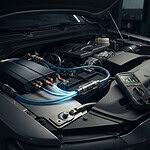
A remote start system with drone mobile control lets you operate a vehicle’s remote-start setup through a compatible smartphone app, cellular service, and installed vehicle hardware. Instead of relying only on a key fob’s local signal, the app sends a command over a cellular connection to compatible hardware in the vehicle. That hardware must be integrated with the vehicle’s remote-start system for the command to work.
This connected setup is an example of vehicle telematics technology, which enables communication between a vehicle and remote services. The app is only one part of the system. Your vehicle’s year, make, model, and trim, installed equipment, cellular coverage, and current service plan can all affect how it works. Confirm current device and app requirements before buying, since features and service conditions may change.
Remote start means sending a command to start the vehicle. It doesn’t automatically mean the app can unlock the doors, track the vehicle’s location, or control other functions. Those capabilities may require additional compatible hardware, a particular configuration, or an eligible plan. Check what’s included rather than assuming every feature comes with app access.
How does DroneMobile remote start work?
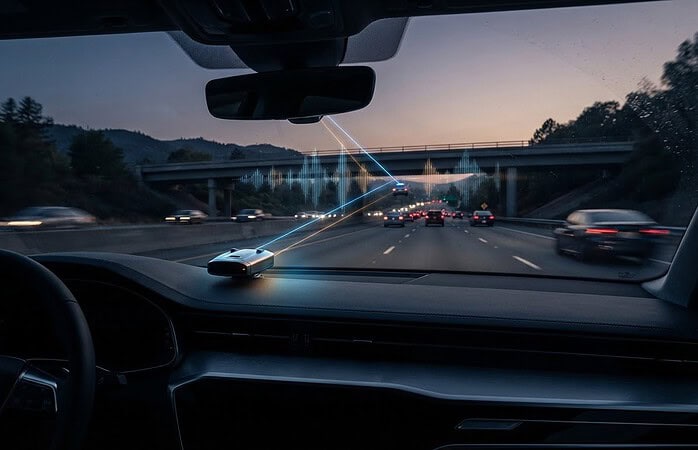
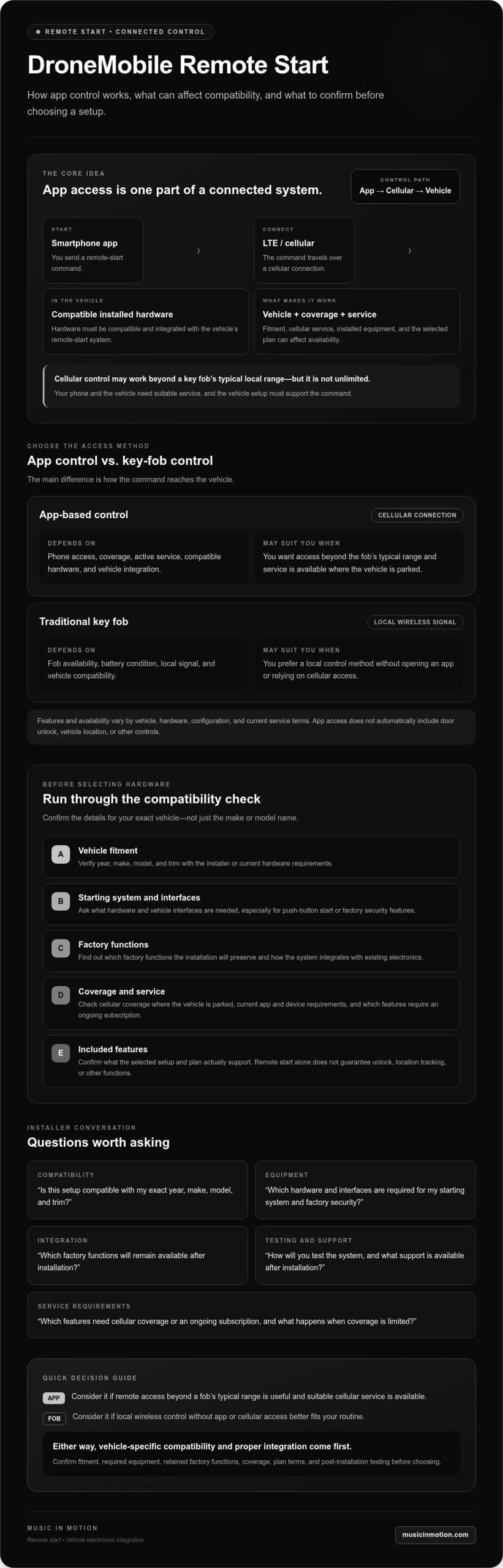
You send a start command from the smartphone app. It travels through a cellular network to compatible hardware installed in the vehicle, which communicates with the integrated remote-start system. A traditional key fob uses a local wireless signal and has a more limited operating range. Cellular control isn’t unlimited, though. Your phone and the vehicle hardware need suitable service, and the vehicle setup must support the command.
Who benefits most from app-controlled remote start?
App control may suit drivers who want to start their vehicle from farther away than a conventional fob typically reaches. It can also be useful if you like to prepare the cabin before a drive, though the comfort you experience depends on the vehicle and conditions. Consider where you park, whether cellular coverage is available there, and how often remote access would be useful.
Vehicle-specific integration matters as much as the app. Existing electronics, factory security, and the vehicle’s starting system can affect the equipment required and which functions remain available. Music In Motion professionally installs remote start systems and has experience with custom integration across vehicle electronics. Ask whether your vehicle and preferred DroneMobile setup can be integrated, and confirm the expected functions and service requirements before deciding.
DroneMobile App Control vs. a Traditional Remote-Start Key Fob
The main difference is how you send the command. A key fob communicates locally with the vehicle, while a compatible app-based setup sends a command over a cellular connection to installed vehicle hardware. App control may be useful beyond the fob’s typical range, but it doesn’t mean you can start your car from anywhere. Phone access, cellular coverage, compatible equipment, and vehicle integration all matter.
| Consideration | App-based control | Key-fob control |
|---|---|---|
| How you send a command | Through a compatible app and cellular service | Through a local wireless signal from the fob |
| What it depends on | Phone access, coverage, active service, and compatible installed hardware | Fob availability, battery condition, local signal, and vehicle compatibility |
| Potential advantage | May work beyond the fob’s local range where service is available | Can be convenient without opening an app or relying on cellular access |
| Features and availability | Depend on the vehicle, hardware, and current service terms | Depend on the fob and the vehicle’s system |
This comparison is general, and not every setup offers the same functions. App features, service terms, and availability can change, so verify current DroneMobile details for the hardware and plan you’re considering. Telematics also has applications beyond personal vehicles, including efficient fleet management, but fleet capabilities shouldn’t be assumed to come with a personal remote-start setup.
When is cellular app control more useful than a key fob?
Imagine parking at work and wanting to start your vehicle before walking out, or being inside a large building beyond your fob’s range. Cellular app control may help in situations like these if both your phone and vehicle have service and the system is correctly configured. It offers a different kind of access, not guaranteed access everywhere.
What are the trade-offs of app-based remote start?
A remote start system with drone mobile control may rely on cellular coverage and an active service plan for app commands. Check which functions require ongoing service, what happens if coverage drops, and whether your selected setup includes a key fob. A fob can be a practical backup when your phone or network isn’t available, although its local range is limited.
Think about where you park and how you’ll use remote start most often. If you’re comparing professionally installed remote-start options, review Music In Motion’s remote start systems and ask whether your preferred app-controlled setup can be integrated with your vehicle.
Is DroneMobile Remote Start Compatible with Your Vehicle?
Compatibility is specific to the vehicle, not just the app or remote-start hardware. A remote start system with drone mobile control may require a compatible remote-start system, vehicle-specific interfaces, and the correct configuration to communicate with your car. Requirements can vary by year, make, model, and trim. Don’t assume a system will fit just because it works with another vehicle from the same manufacturer.
Connected vehicle functions are part of broader vehicle telematics technology, but that term alone doesn’t establish fitment. Push-button ignition, factory security, and electronics already installed in your vehicle can affect the hardware and integration approach. Before purchasing equipment, ask a qualified installer to confirm the required modules, interfaces, and firmware for your exact vehicle, and verify current DroneMobile requirements.
What vehicle details should you gather first?
Share your full vehicle details before selecting hardware or arranging an installation. Small differences between trims or ignition setups can matter. Have this information ready:
- Model year, make, model, and trim. Use the exact details shown in your vehicle documents.
- Ignition type. Note whether the vehicle uses a traditional key or push-button start.
- Factory remote-start features. Tell the installer if remote start is already built in or controlled through a factory key fob.
- Existing aftermarket electronics. Mention any previously installed remote-start, security, or other vehicle electronics that could affect integration.
These details help an installer check your vehicle against current compatibility information and identify questions before equipment is selected. A general answer such as “compatible with your make” isn’t enough. Request confirmation for your specific configuration.
Which factory features should a remote-start installation preserve?
Compatibility is only part of the decision. Ask how the installation will work with factory keyless entry and security, including the vehicle’s immobilizer and anti-theft systems. The installer should explain which interfaces are needed and how the setup is intended to retain normal operation. Don’t assume every factory feature behaves the same after adding remote start.
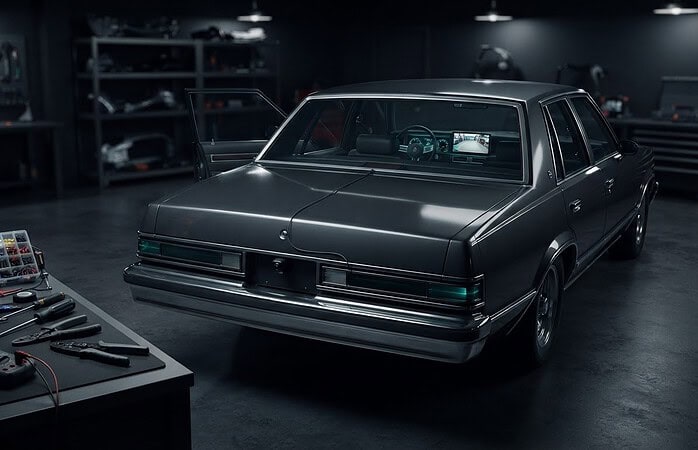
Ask how the completed system will be tested. Confirm that remote starting and shutdown behave as expected, and that the vehicle starts normally with its key or standard ignition method. These checks help establish practical expectations for system operation and factory functions, rather than focusing only on whether an app command starts the engine.
Music In Motion professionally installs remote-start systems and has experience integrating vehicle electronics. Ask whether your vehicle and preferred DroneMobile setup can be professionally integrated, and request a vehicle-specific explanation of the hardware, factory functions, and testing involved before moving ahead.
What to Check Before Buying a DroneMobile-Controlled Remote Start
Before choosing a remote start system with drone mobile control, get a clear picture of what the specific setup includes. A working app command depends on more than your phone. Vehicle fitment, compatible hardware, installation, cellular availability, and service terms all play a part. Use this checklist to separate what’s confirmed for your vehicle from what you still need to verify with the provider and installer.
- 1. Confirm exact vehicle fitment. Provide the year, make, model, trim, and ignition type. Ask which vehicle-specific interfaces are required, and get confirmation before purchasing hardware.
- 2. Identify the included hardware. Find out whether the vehicle needs a remote-start system, a separate control module, additional interfaces, or updated firmware. Don’t assume an app module alone can start the car.
- 3. Check app requirements and functions. Verify which app is needed, which controls are available for your configuration, and whether functions such as door control or location tools require separate compatible equipment.
- 4. Verify cellular access and service terms. Ask the provider about current coverage, what happens when service is unavailable, and which functions depend on an active plan. Confirm any recurring service requirements directly, since terms and features can depend on the selected device and current plan.
- 5. Get an installation and testing plan. Request a vehicle-specific explanation of the parts and integration steps. Confirm how the installer will test remote start, shutdown, security, factory functions, and normal key-start operation.
- 6. Clarify support after installation. Ask who to contact about app access, service questions, or system operation, and what assistance is available if a feature behaves differently than expected.
Which features and service terms should you confirm?
Ask for a plain-language breakdown of what’s included, what needs extra compatible hardware, and what relies on an active service plan. If multiple drivers will use the system, check whether access sharing or additional user controls are supported in the current setup. Treat these as questions to verify, not assumed features. Availability can vary with the device, vehicle, and current service terms.
What should a professional installation plan include?
A useful plan explains how the selected equipment fits your exact vehicle and how factory features will be handled. Before installation, review this professional remote start installation guide for more context on the process. Music In Motion professionally installs remote start systems. Confirm whether your vehicle and preferred DroneMobile setup can be integrated.
For a vehicle-specific discussion, ask Music In Motion about remote-start installation and whether your preferred DroneMobile setup can be integrated. A clear answer on fitment, included functions, testing, and ongoing service helps you compare options.
Choosing a Remote-Start Installer for Drone Mobile Control
The right installer looks beyond the app. A remote start system with drone mobile control has to work with your vehicle’s electronics, factory security, and chosen hardware. Vehicle-specific integration helps bring the components together, while clear answers before work begins help you understand what the system will and won’t do.
Look for a professional who can explain the fitment and installation plan in plain language, not just recommend equipment based on app features. Ask how the system will be tested and what support is available if you have questions after installation. Other vehicle electronics can also affect how systems work together. For context, see this vehicle safety systems guide.
Questions to ask before scheduling installation
Bring your vehicle details and preferred functions to the conversation. These questions can help you assess whether the installer has a vehicle-specific plan:
- Can you verify compatibility? Ask for a check based on your exact year, make, model, and trim, rather than a general statement about the brand.
- What equipment is available for this setup? Ask whether the shop can source or integrate the DroneMobile-compatible hardware you’re considering.
- What functions will be included? Ask which controls are supported by the chosen hardware and vehicle, and whether any app features require an active service plan or additional equipment.
- How will you check factory security and operation? Find out how the installer will test remote start, shutdown, factory security functions, and normal starting after installation.
- What support is available afterward? Clarify who to contact with questions about system operation, app access, or service requirements.
A thorough answer should connect the parts, integration steps, and expected behavior to your specific vehicle. That matters more than a long feature list if the hardware isn’t compatible or the installation doesn’t preserve the functions you rely on.
How to take the next step with Music In Motion
Music In Motion sells and professionally installs remote start systems, with custom integration experience across vehicle electronics. Share your vehicle’s year, make, model, and trim, along with the remote-start behavior you want. The team can discuss installation options and whether your preferred DroneMobile setup can be integrated after checking the vehicle requirements.
To discuss your vehicle and desired functions, contact Music In Motion about professional remote-start integration.
Make Your Remote-Start Choice with Confidence
A remote start system with drone mobile control can add convenient app access, but the right setup depends on more than the app. Confirm compatibility for your vehicle’s exact year, make, model, and trim, then check the required hardware, cellular service, and any plan-dependent features. Also ask how the installation will integrate with factory security and how the system will be tested.
Music In Motion professionally installs remote-start systems and brings custom vehicle-electronics integration experience. Founded in 1994, the company can discuss your installation needs. Confirm whether your specific vehicle and preferred DroneMobile setup can be integrated before choosing equipment.
As you compare options, review remote-start installation with Music In Motion, including the features you want and questions about compatibility. A clear discussion can help you set expectations before you choose.
Frequently Asked Questions
Can DroneMobile start any car?
No, DroneMobile remote start isn’t a universal fit for every car. Compatibility and installation requirements depend on the vehicle’s exact year, make, model, and trim, as well as its ignition, factory security, and existing electronics. Some setups may need additional modules or interfaces. Before buying hardware, ask an installer to verify current compatibility for your specific vehicle and explain what equipment is needed.
Does DroneMobile remote start work without cellular service?
App commands rely on a cellular connection between your phone and compatible vehicle hardware, so remote start through the app may not work where service is unavailable. Actual access depends on coverage and the selected system. A compatible key fob may still provide local control if included and correctly integrated, but its range is limited. Ask which controls remain available if cellular access drops or your phone can’t connect.
Does DroneMobile require a subscription?
DroneMobile uses cellular connectivity, and a data plan is necessary for full functionality. Which functions require active service, and the available plan terms, can depend on the device and current offering. Before choosing a system, confirm current subscription requirements directly with the provider. Ask which features stop working if a plan expires, and whether any local key-fob functions remain available without app service.
Can I use DroneMobile with my factory remote start?
Possibly, but it depends on your vehicle’s factory system and the compatible hardware available for your configuration. In some installations, mobile control is added to an existing compatible remote-start or security system. That doesn’t mean every factory remote starter can accept it. Share your vehicle details and existing equipment with an installer, then ask whether integration is supported and which factory functions will remain operational.
Is app-controlled remote start better than a key fob?
Neither option is automatically better; they suit different routines. App control may reach beyond a key fob’s local range when cellular service is available, while a fob offers a direct local control method without opening an app. App access can depend on phone connectivity, cellular coverage, and a service plan. Consider where you park, how you’ll use remote start, and whether a fob is included as a backup.
What should I ask an installer before choosing a DroneMobile remote-start system?
Ask the installer to verify fitment for your exact year, make, model, and trim, and to identify required hardware, interfaces, or firmware. Confirm current DroneMobile availability, app and cellular requirements, service terms, and which functions are included. Also ask how the installation will be tested, including remote start, shutdown, factory security, and normal key-start operation. Music In Motion professionally installs remote-start systems. Confirm whether your preferred DroneMobile setup can be integrated.
Contact Music In Motion to discuss remote-start installation for your vehicle.